
Server-side Testing
Test things your server decides, like prices or checkout steps. Your developer adds a few lines of code. You run the test in Tailor.
How It Works
- Step 1
Set up in Tailor
Name what changes, like a price.
- Step 2
Server picks a variant
Each visitor gets one, instantly.
- Step 3
Tag counts conversions
The Tailor tag on your page, same visitor.
- Step 4
See results
On the usual test dashboard.
Good for prices, plans, checkout steps and search results. For headlines, images and buttons, a page test is simpler.
Set Up a Test
Go to Tests → New test → Run a server-side test.
- Name the test.
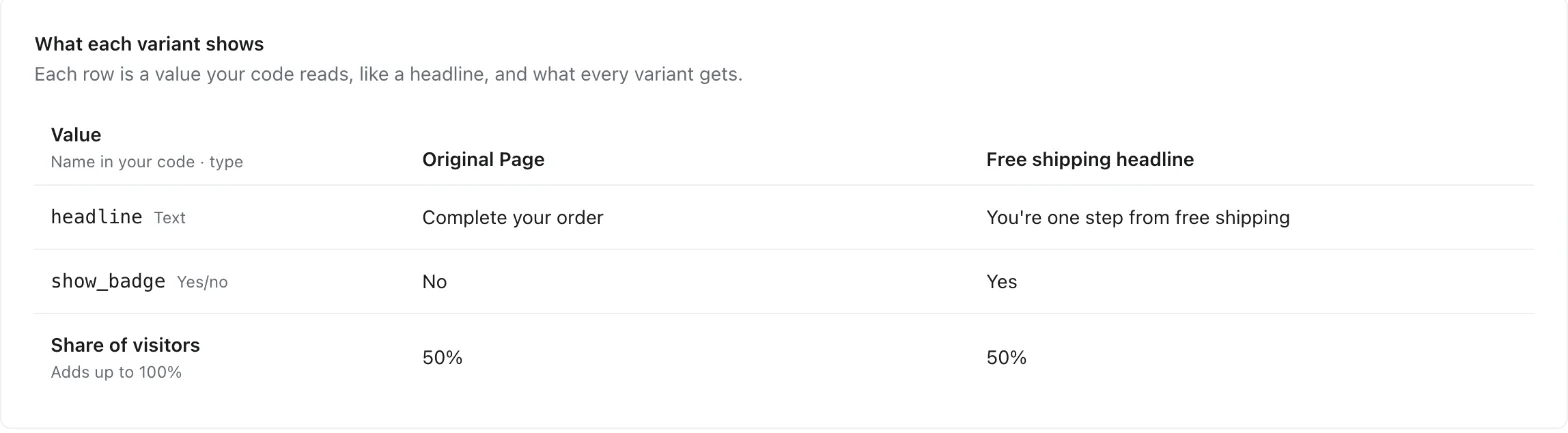
- Add a value for each thing the test changes, like a headline or a price.
- Fill in each variant's values and choose how to split visitors.
- Pick the goals that count as a win.
- Send your developer the test key and value names, and the Node SDK setup. Their code must use the same names, spelled exactly the same.
- Once the code is live, start the test.
Want to see a variant yourself? Ask your developer for your visitor id and add it under Preview visitors. Your visits won't count.
Results
Results show on the test's dashboard, like any Tailor test.
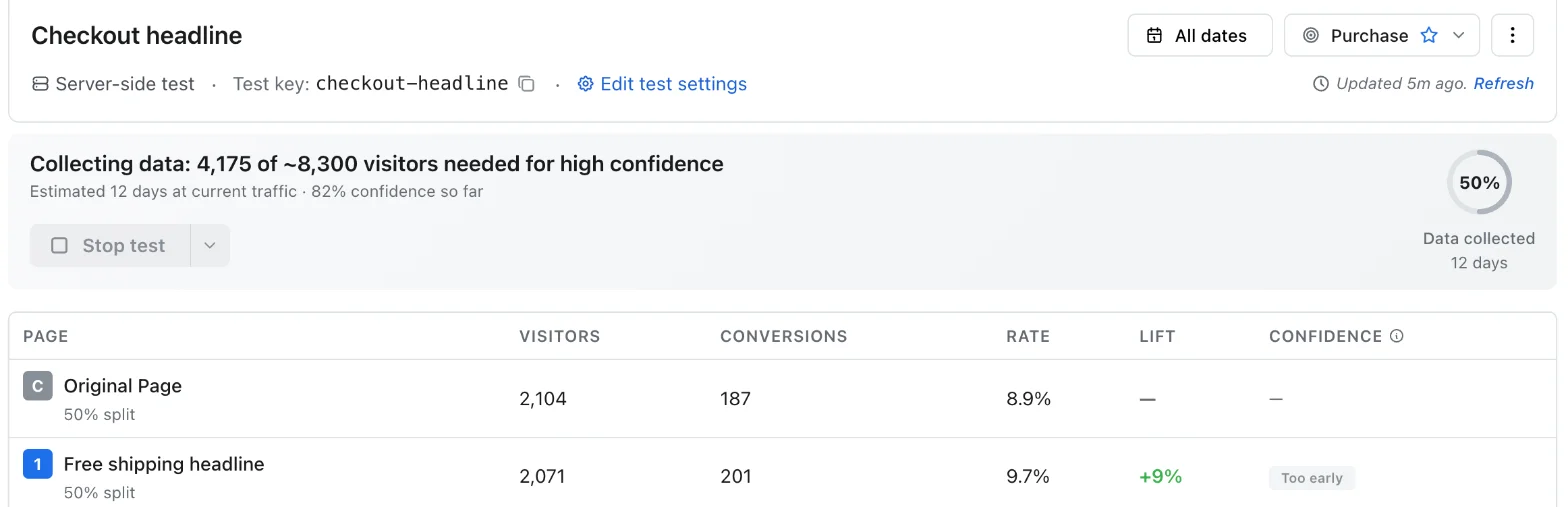
Not available yet: the What visitors did tab, and bounce-rate or Amplitude goals.
Changing a Test
- While it runs, you can change the name, goals and preview visitors. Values and the split are locked, so results stay fair.
- Stop: everyone sees your normal site within 5 minutes.
- Ramp to 100%: everyone sees the winner.
- Changed a value while stopped? Click Start new test, not Continue test, so old and new results don't mix.
FAQ
Will it slow down my site?
No. Your server picks the variant on its own, without waiting on Tailor. If Tailor is ever unreachable, visitors see your normal site.
What does my developer need?
A Node.js server. Other languages aren't available yet.
Can I target a campaign or audience?
Not yet. Your developer can choose which visitors enter the test in code.
We use VWO or Convert today. Is switching hard?
No. The code looks almost the same, mostly with new names. The Node SDK Reference has a side-by-side table.