
Use case · LinkedIn Ads
LinkedIn targets a job title, so the page should know who showed up
Check whether the landing page matches your LinkedIn campaign's target audience.
When a VP of Engineering at a target account clicks an ad and sees a homepage written for individual productivity, the click was already paid for. The conversion is what gets lost. Tailor adapts the page to the audience, account, and campaign intent behind the click.
Last updated May 2026
 Tailor AI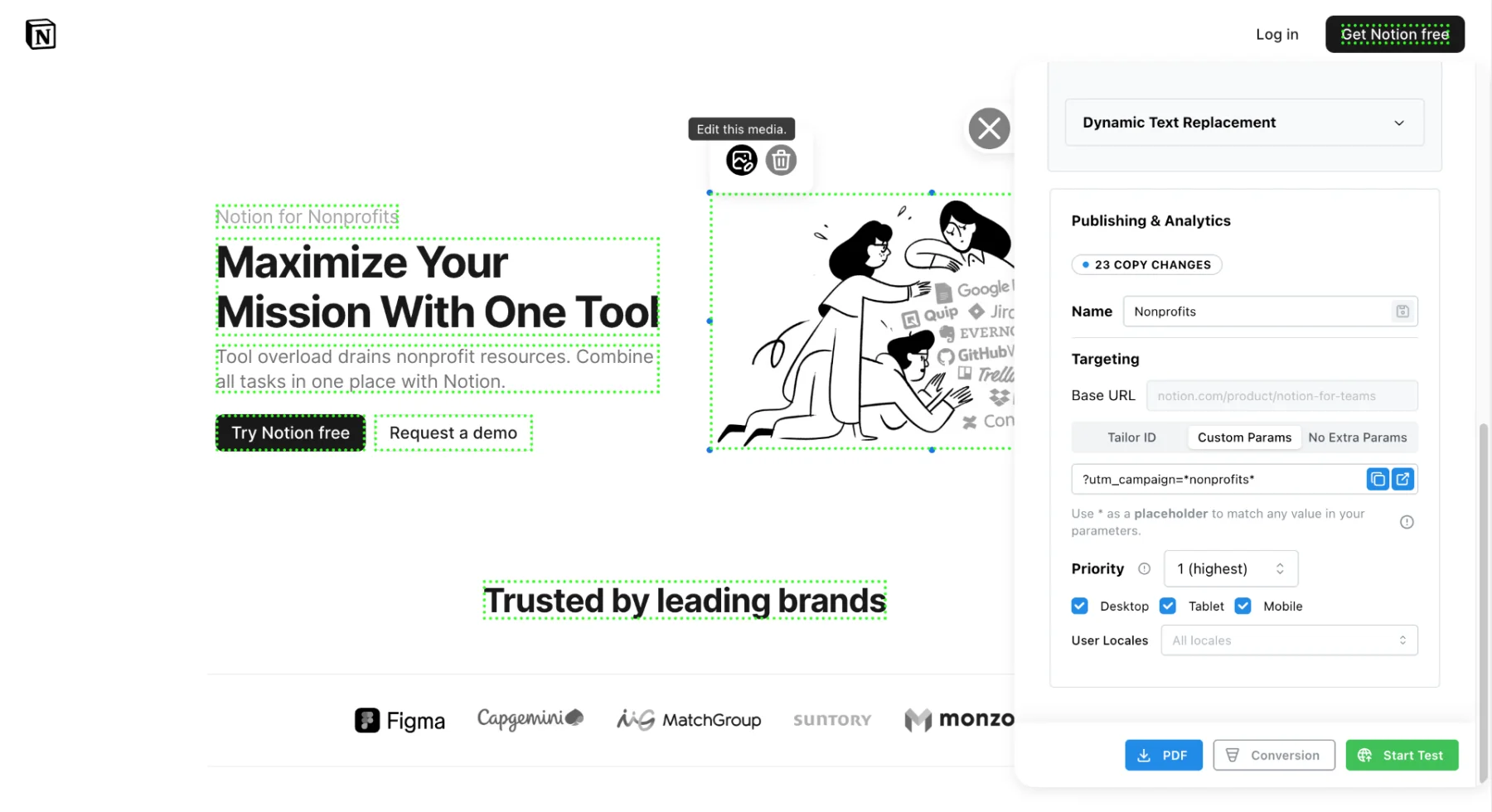
- Built for
- B2B and prosumer software teams running LinkedIn Ads against named accounts, industries, and job functions.
- Covers
- Audience-to-page matching, account list activation, and measuring pipeline by campaign.
Teams running Tailor






The problem
Check whether page messaging fits your LinkedIn audience.
LinkedIn is the most precise paid channel B2B teams have. You can target a CFO at a $500M company in healthcare on a matched account list with one campaign. The cost per click reflects that precision.
Test proof, use cases, and CTAs that fit the targeted audience.
Common patterns we hear from B2B paid teams:
"We're spending $80 CPC to send a CFO to a page written for a developer."
"We have nine ICPs running on LinkedIn. We have one landing page."
"Our top accounts visit, but they see the same page anyone else sees."
How it works
Audience-to-page matching by campaign and company
Tailor reads the UTM parameters LinkedIn passes (campaign, ad, audience) and combines them with company enrichment on the visitor side (industry, company size, role) to adapt the page in real time. You can also let Tailor’s agent find the test, build the variant, and launch it. You approve before anything ships. See the full targeting guide.
Common targeting clusters for LinkedIn campaigns:
- Job function and seniority (VP Engineering, CFO, RevOps lead)
- Industry (financial services, healthcare, manufacturing)
- Account list (named ABM target accounts and tier 1/2/3 lists)
- Company size (SMB vs mid-market vs enterprise)
- Campaign theme (security, scale, ROI, switching)
Example: a security platform runs LinkedIn campaigns to CISOs at Fortune 1000 financial services accounts. Visitors from those accounts see a headline about regulatory controls, customer logos from the same industry, and a “Talk to security” CTA. Visitors from a different campaign aimed at engineering leaders at high-growth startups see velocity proof and a self-serve trial CTA. Same URL.
Install the script so marketers can test variants on existing pages.
See LinkedIn audience-to-page matching on your site
Account lists
Match the page to the account as well as the campaign
LinkedIn account lists let you target named companies, but the page they hit is the same generic experience. Tailor closes the loop with company-level enrichment so even when the campaign UTM is broad, the page can adapt to the specific account behind the click.
- Show industry-specific proof when an account in a priority vertical visits
- Lead with the use case the account's competitors already adopted
- Surface a 'Talk to sales' path for tier 1 accounts and a self-serve trial for tier 3
- Remove or reframe sections that do not apply to the account's company size
Pair this with visitor identification to act on accounts that visit organically too, not just paid traffic.
Measurement
Tie page changes to pipeline as well as CTR
LinkedIn campaigns are expensive. CTR alone is a weak signal of value. Run per-segment experiments and tie outcomes to downstream events from your CRM and analytics tools. Tailor connects to GA4, Amplitude, HubSpot, and Salesforce so a tailored variant for an industry shows up against MQL, demo, and pipeline metrics, not just clicks.
See the conversion goals guide for setting up downstream events, or the performance insights overview for how Tailor surfaces what to change next.
FAQ
Common questions
Yes. Tailor reads the campaign and ad parameters LinkedIn passes through UTMs and combines them with company enrichment on the visitor side. You can adapt the page by job function, seniority, industry, account list, or company size without splitting traffic into separate landing pages.
Yes. Map matched audiences and ABM account lists to specific page experiences using campaign UTMs as the link, and Tailor's company enrichment to confirm the account at page load. Visitors from a target account list see proof, use cases, and CTAs aligned to their segment.
No. Tailor adapts your existing page URL in place. The LinkedIn Insight Tag continues to fire as normal, and conversion events still flow back to LinkedIn Campaign Manager and downstream tools like HubSpot or Salesforce.
You keep one canonical page URL. Tailor adapts headlines, proof, use cases, and CTAs based on the audience or account behind the click. No separate page builds, no extra dev cycles, no duplicate URLs to manage.
Tailor ties page experiences to downstream events from your CRM (HubSpot, Salesforce) and analytics (GA4, Amplitude). You can compare conversion to MQL, demo, or pipeline by audience, account list, or campaign theme.
Test page messaging for your LinkedIn audiences.
See how Tailor would adapt your LinkedIn landing page for the audiences and accounts you are running campaigns to.
Headspace lifted conversion rate 91% by tailoring pages to visitor intent, on pages that already existed.
Read the Headspace case study