
Test Ideas
Your queue of upcoming tests, built automatically from your ads, traffic, and pages. Review the draft, approve it, and choose when to launch.
Overview
Tailor reads your ad spend (Google, Meta, LinkedIn), your traffic, and your landing pages, and keeps a ranked queue of upcoming tests to lift conversion and ROAS. Each test in the queue is fully built: the audience it targets, its expected 30-day reach, the key page changes, and a before/after preview from your live site. You can approve the draft for later or approve and launch it together.
The queue is standing: new runs add to it rather than replacing it, dismissed tests stay dismissed (and can be restored in one click), and every test you run teaches the next round. Left alone, the queue keeps reflecting where your spend and traffic actually are.
Every plan names the sources it was built from, and the How Tailor got here link on it lists each one read by read. See what the agent reads for the full set, from ad spend and past experiments to competitor intelligence.
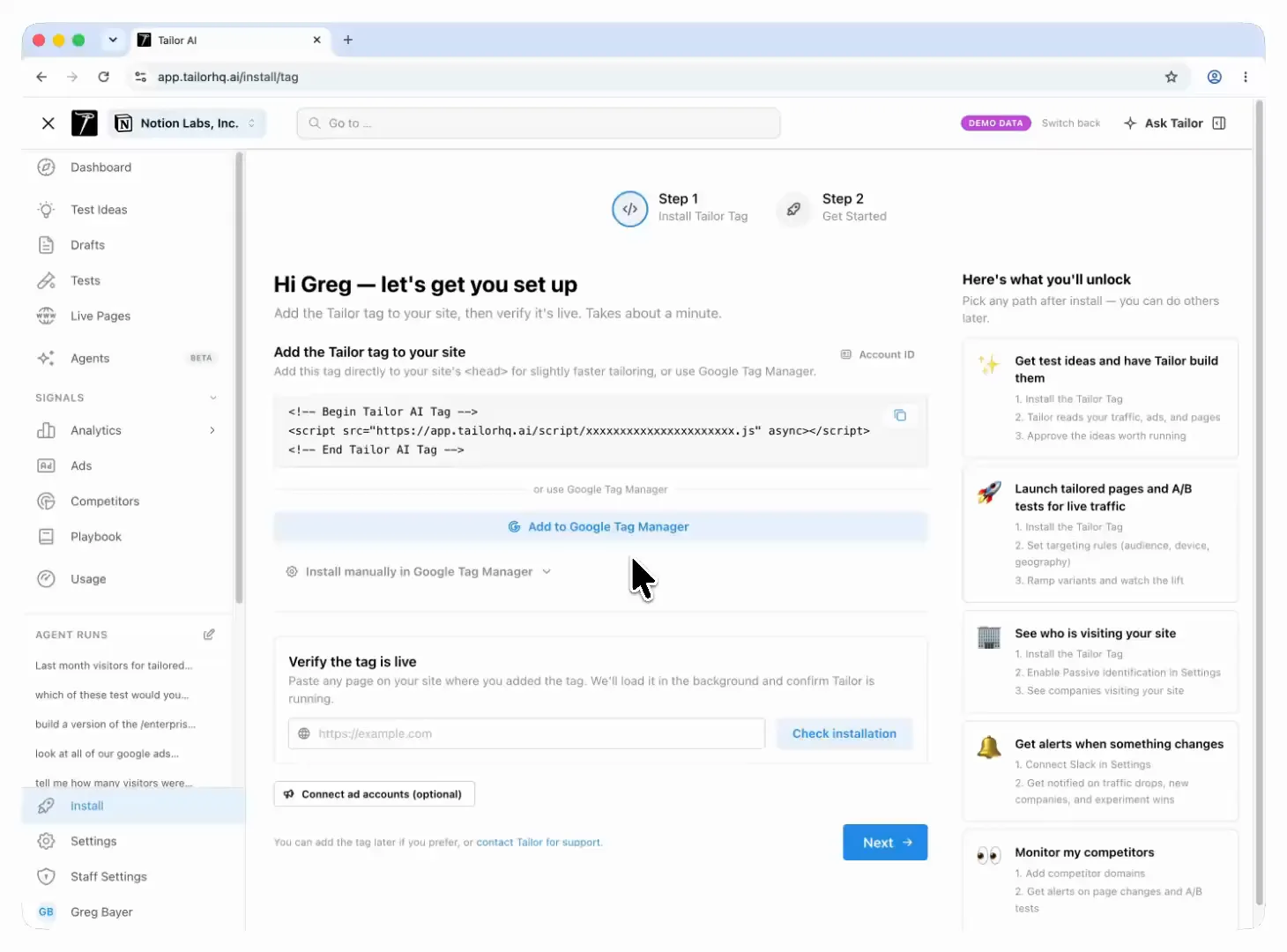
Install the tag, and Tailor ranks test ideas for your pages, shows why it picked each one and which audience sees it, and waits for you to start the test.
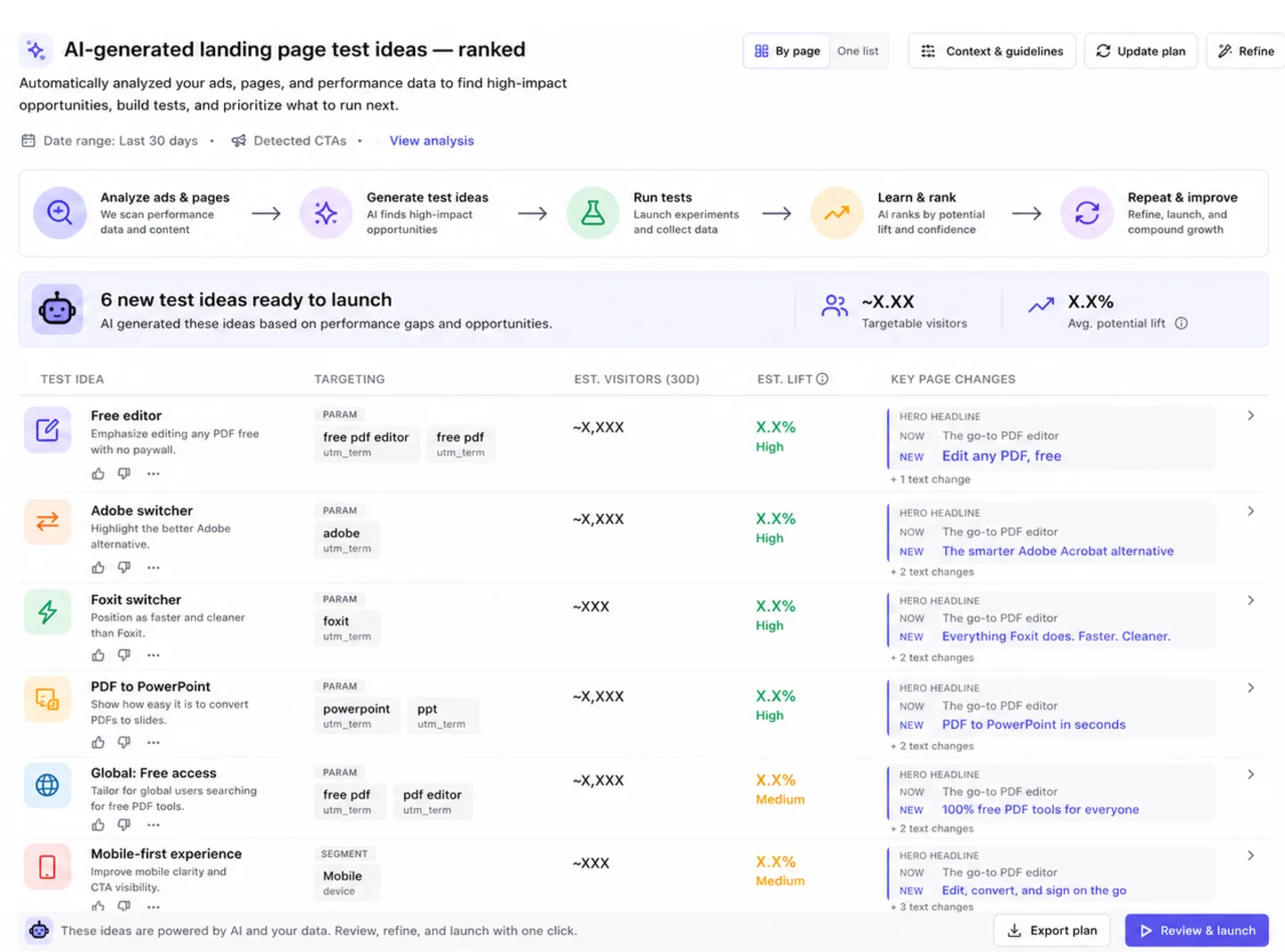
Anonymized examples of upcoming-test queues across three industries.
Ranked by expected impact
The queue is ordered by expected monthly impact (traffic to the targeted segment times the targeted lift), not by confidence alone. A modest win on a high-traffic page usually beats a big win on a page nobody visits.
Filling the Queue
Open Test Ideas
Find it in the left sidebar at app.tailorhq.ai.
Pick your inputs
Choose which ad platforms, data signals, and pages Tailor should consider, and whether you want the best tests across your pages or a page for every paid keyword. A Fine-tune section gives you finer data controls when you want them.
Set your standing brief (once)
Tell Tailor who you are and what you optimize for. The brief steers every future run, and you can add a one-off focus line to any single run.
Let it build
Runs take a few minutes. You can switch tabs; your browser notifies you when your new tests are ready (enable notifications when prompted, or under Settings → Notifications).
Larger queues arrive organized into launch waves: a first phase of tests you can run in parallel now, with later waves sequenced behind them. Toggle between the phased view and one flat ranked list.
Keyword Coverage
Choosing "a page for every paid keyword" runs a keyword coverage sweep: Tailor maps each paid-search keyword to the landing page it actually hits, flags weak message match, and turns the gaps into ready-to-launch test ideas with the copy changes drafted. A sweep covers hundreds of keywords per run.
Keyword targeting needs the keyword in the URL
Serving a tailored experience per keyword relies on your URLs carrying the keyword (usually utm_term). If your tracking templates don't pass it, fix that first. See the Targeting Guide.
Reading an Upcoming Test
The queue reads as a ranked table: value proposition, audience, estimated 30-day reach, and the key page changes. Click any row to open the full detail: targeting, before/after preview screenshots from your live site, and the launch, preview, refine, and dismiss actions.
Every idea carries a hypothesis
The detail view opens with What we're testing, in three parts:
- The change — the one thing this test alters.
- What we expect — the effect it should have.
- Because… — the measured reason to believe it, drawn from your own data.
This is not decoration. The hypothesis is what the build session is held to, and what the dedupe gate splits on, so two ideas that change the same element for different reasons stay separate. Reading it verbatim is how you confirm the draft you are about to approve tests what the row claimed. Ideas generated before this field existed fall back to the key-changes line instead.
- 1Numbers checked badges mean the traffic and reach figures were verified against your real data.
- 2Runtime estimates come from the targeted segment's actual traffic, so a niche audience shows an honest (longer) time to a result.
- 3Targeting is editable: adjust the UTM or custom parameters a test targets and the audience size re-measures automatically.
Refine & Edit
Refine one test
Tell Tailor what's off ("less formal", "lead with the integration") and it rewrites that test from your feedback.
Refine all
One instruction re-voices every headline, subhead, and CTA across the queue. Useful for brand-voice passes.
You can also edit proposed copy inline before launching, rewrite a single change with AI, remove a change from the test, or jump into the extension to edit the page directly.
Launch & Learn
Approving an idea alone leaves its draft waiting in Drafts. Starting the draft launches a real experiment on your existing URL with the targeting attached. The approve-and-launch shortcut combines both actions. Check which action you are taking: approval alone does not send live traffic. Results feed the next round: runs read the outcomes of your live and rolled-out tests, iterate on champions, and stop queueing what you've dismissed.
From there, the normal experiment workflow applies: ramp, read results, and promote winners. See the Experiments Workflow guide.
Best Practices
- 1Connect your ad accounts first so proposals reflect real spend, not guesses.
- 2Write the standing brief before your first run. Two sentences about your audience and goal noticeably improve the ideas.
- 3Dismiss freely. Dismissals teach future runs what not to queue, and you can restore anything in one click.
- 4Launch the top wave in parallel rather than one test at a time. The waves are sequenced so they don't conflict.