
 Tailor AIvsZoomInfo
See which accounts engage before they fill out a form.
Tailor combines company identification with website engagement, audience rules and Slack alerts. Use those signals to prioritize sales follow-up and test more relevant page experiences on your existing site.
Explore the fit on a demo, or start with a site scan.
Last reviewed November 5, 2026 · ZoomInfo website
Comparison
At a glance
Company identification, engagement filters and follow-up tools.
Tailor helps you identify engaged accounts and test the pages they visit. ZoomInfo fits teams that also need prospect contact data and a broader sales intelligence platform.
Company identification
- ZoomInfo
- WebSights identifies organizations visiting tracked pages before a form submission.
- Tailor AI
- Identifies visiting companies and connects them to page activity before a visitor starts a form.
Engagement signals
- ZoomInfo
- WebSights reports company activity. Page Rank assigns high, medium or low priority to URLs.
- Tailor AI
- Filter identified visitors by time on page, scroll depth and conversion status, including highly engaged visitors who have not converted.
Audience rules
- ZoomInfo
- Target-account website visits can trigger Workflows.
- Tailor AI
- Combine account lists, engagement, company name, industry, size, revenue, country, region and available role data.
Slack alerts
- ZoomInfo
- Workflows can notify sales reps when target accounts visit pricing pages.
- Tailor AI
- Near-real-time alerts and digests. Route audiences to different Slack channels using account lists and configurable rules.
Dashboard views
- ZoomInfo
- WebSights provides reports on visiting companies and their website activity.
- Tailor AI
- Save filtered audiences as dashboard views. Dashboard and Slack rules can be shared or configured separately.
Tracking scope
- ZoomInfo
- Tracking follows the pages where the ZoomInfo script is installed.
- Tailor AI
- Filter identification by URL path and sampling rate. Exclude careers pages or other traffic you do not want to enrich.
Personalization and tests
- ZoomInfo
- WebSights can supply company data to third-party personalization tools.
- Tailor AI
- Target page variants and run conversion tests in Tailor. Adapt messaging, proof and calls to action on existing pages.
Salesforce
- ZoomInfo
- Export Accounts, Contacts and Leads, with field mapping, duplicate checks and Intent/Scoops objects.
- Tailor AI
- Account-focused workflows using website engagement. Configure sync rules around your team's requirements.
Prospect contacts
- ZoomInfo
- Contact enrichment supports outbound prospecting, including emails and direct dials.
- Tailor AI
- Company and available role signals support prospect research. Tailor does not currently identify named contacts or leads from visits.
Data access
- ZoomInfo
- Salesforce imports and exports consume API calls. Data access depends on the products licensed.
- Tailor AI
- Unlimited API / MCP access to Tailor data. Visitor identification uses purchased enrichment credits.
ZoomInfo capabilities here span WebSights, Workflows and its Salesforce integration. Product availability depends on the package. Comparison reviewed November 5, 2026.
Comparison
Data quality and coverage
IP-to-company data
- ZoomInfo
- WebSights uses ZoomInfo's Visitor Resolution Service to associate traffic with organizations.
- Tailor AI
- People Data Labs supplies IP-associated company and professional attributes, with confidence fields.
Role and seniority
- ZoomInfo
- Buyer ID adds eligible person-level signals. The reviewed sources do not publish comparable IP-to-role or seniority fill rates.
- Tailor AI
- Role and level are available where the underlying IP record contains them. These attributes can guide research in LinkedIn Sales Navigator or similar tools.
Named visitors
- ZoomInfo
- Buyer ID supports eligible person-level visitor signals; company identification alone does not identify a specific employee.
- Tailor AI
- Company and professional attributes associated with an IP address. These do not verify the individual who visited.
Coverage and quality
- ZoomInfo
- Coverage depends on the visitors and networks reaching your site.
- Tailor AI
- Coverage depends on the visitors and networks reaching your site. Evaluate company matches and useful attributes on your own traffic.
Provider database size, field fill rate and website visitor match rate measure different things. A larger published dataset alone does not establish better identification accuracy.
Sources
Three reasons to choose Tailor over ZoomInfo
Find engaged accounts that have not converted.
Filter identified visitors by time on page, scroll depth and conversion status.
Route account alerts to specific Slack channels.
Combine account lists, company attributes, location and available role data. Dashboard views and Slack channels can use the same rules or different ones.
Test a more relevant page for each audience.
Use visitor and campaign signals to tailor messaging, proof and calls to action. Approve page variants and measure tests against connected conversion goals.
See it on your site
A pricing-page visit, filtered and sent to sales
See how Tailor checks a visit against your engagement rules and alerts your team. Bring a URL if you like; no preparation is required.
- 1
Identify the account
A visitor from a priority account reaches a pricing or comparison page.
- 2
Qualify engagement
Apply an example rule: 30+ seconds, at least 50% scroll and no conversion.
- 3
Route the alert
Show the account in a saved dashboard view and notify the relevant Slack channel.
- 4
Improve conversion
Review a page variant for the audience and test it against a connected signup or demo goal.
In the demo, review an account alert and a proposed page test for your audience.
Teams running Tailor






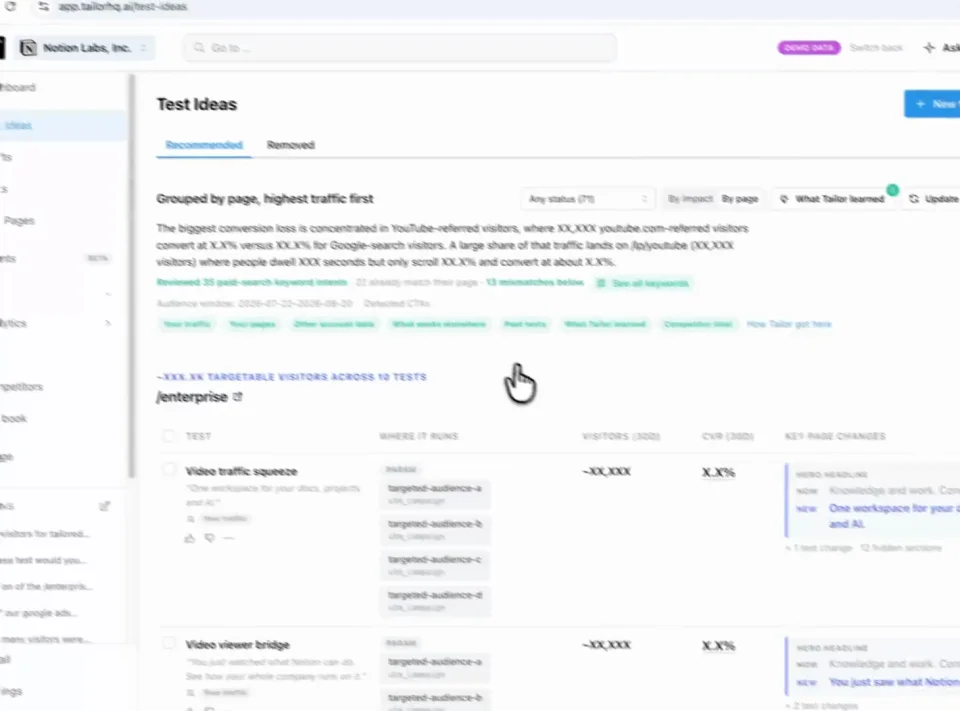
Find a test Review Approve
In practice · PDF Expert
Make the page match the intent behind each paid click
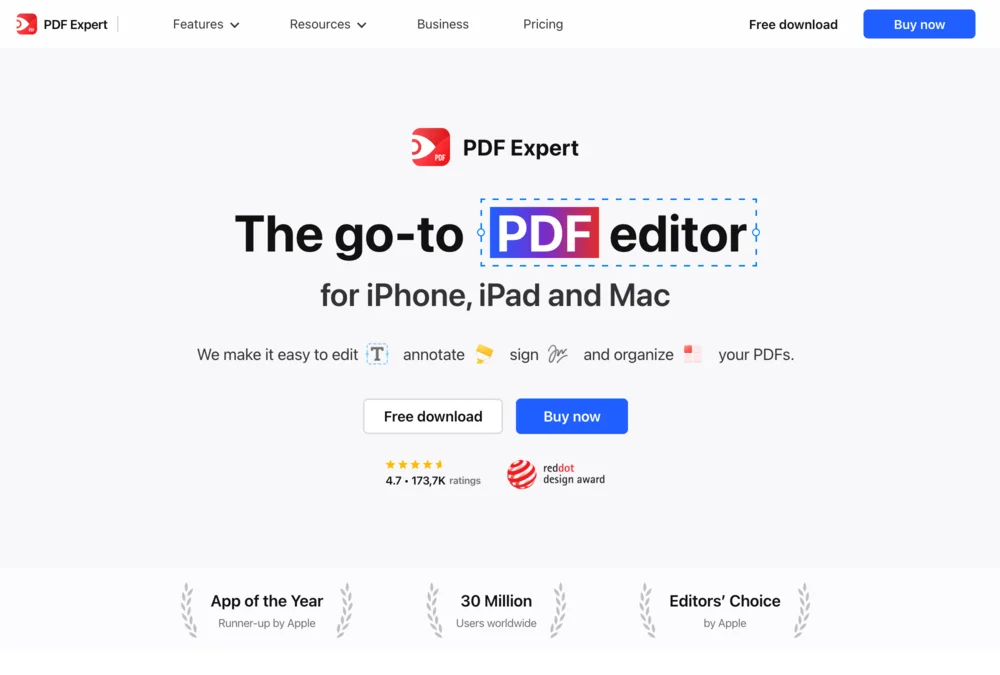
Someone searching for an Adobe alternative needs a different reason to buy than someone looking to fill a PDF. PDF Expert tested keyword-specific messaging instead of sending every search to the same generic pitch.
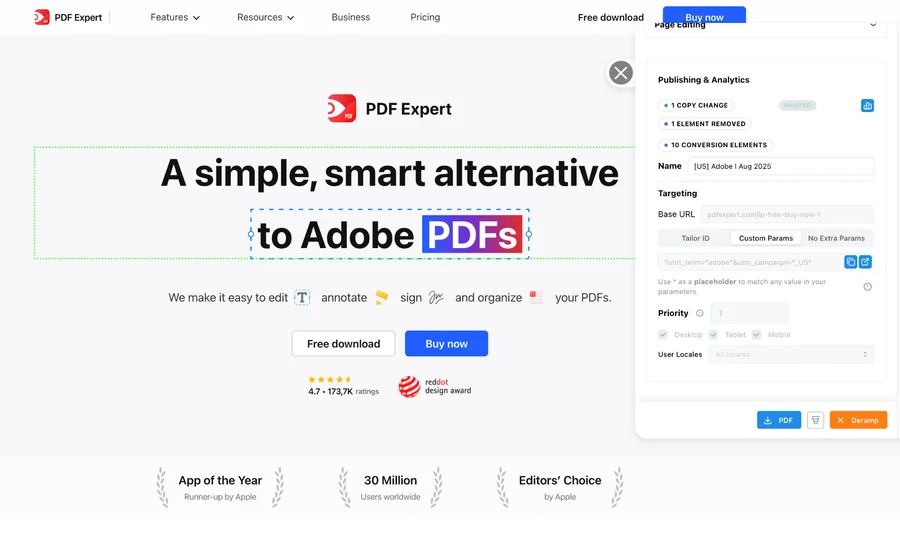
- +10%
- click-through lift for the Adobe variation shown above
- 5 minutes
- reported setup per keyword-specific page variation
- 20+
- keywords tested simultaneously in the program
The learning was specific: some keyword and region combinations improved; others did not. Testing showed where tailoring helped. These are this customer’s reported results, not a forecast for your site.
See the tests and resultsFrom signal to shipped test
Know what to test and get it ready to launch
Tailor monitors competitor pages and ads, combines those signals with your campaign data, and recommends tests for your site. It builds the variant for your review, measures the result, and carries the learning into what comes next.
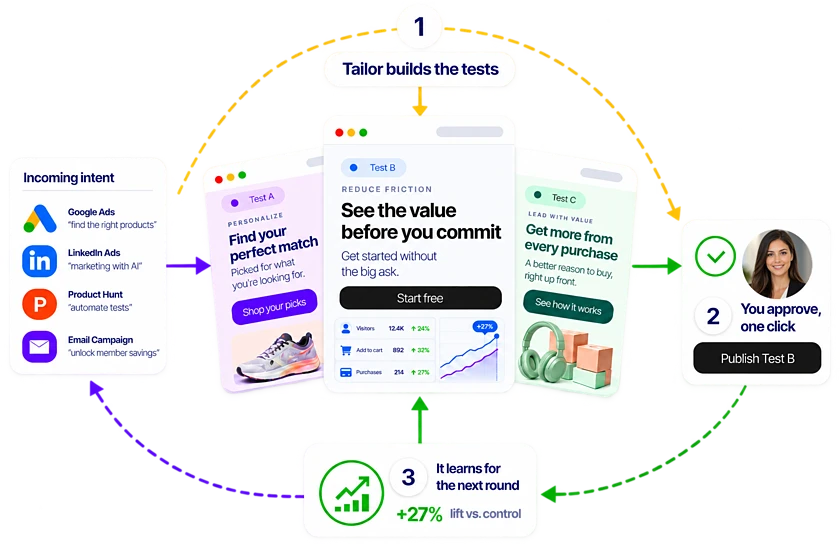
Step 1
Spot the opportunity
Monitor competitor pages and ads alongside your own campaign performance.
Step 2
Get a test recommendation
Tailor proposes a promising test, the audience it serves, and why it may work.
Step 3
Review a built variant
See the change on your existing site, edit it, and approve what launches.
Step 4
Learn from the result
Measure signups, pipeline, or revenue and use the result to guide the next test.
In detail
How the two compare in practice
When to consider ZoomInfo
- Prospect contact discovery, emails and direct dials are core requirements.
- Your sales team needs a broader intelligence and contact-enrichment platform.
When Tailor fits your team
- You need to filter account visits by time on page, scroll depth or conversion status.
- Different teams need alerts for different account lists or engagement thresholds.
- You want to personalize and test pages using visitor signals.
The decision to make
Keep ZoomInfo for prospecting while you use Tailor to find engaged accounts and test pages on your website.
- Both identify visiting companies and support Slack alerts. In Tailor, you can filter accounts by site engagement, route alerts with audience rules and run page tests in the same product.
FAQ
Frequently asked questions
With Tailor, you can limit alerts to accounts that meet your engagement rules, such as 30+ seconds on a page, at least 50% scroll and no conversion. You can also use visitor signals to personalize and test pages on your existing site.
Yes, for website company identification, engagement filters and follow-up workflows. Tailor also supports page personalization and conversion tests. It does not replace ZoomInfo's prospect contact database or its full sales intelligence platform.
Tailor currently provides IP-associated company and professional attributes, including role and level when available. It does not identify named contacts or leads from website visits. Role data can help with prospect research, but it does not prove which individual visited.
Yes. Combine account lists with engagement, company, location and available role filters. Use different rules for different channels, and configure dashboard views independently or use the same audience rules.
Yes. Use ZoomInfo for contact discovery and sales intelligence while Tailor qualifies website engagement and tests page experiences. Assign each system a clear role in alerts and CRM updates to avoid duplicate follow-up.
No. IP records, IP-to-company pairings, field fill rates and visitor match rates measure different things. Compare the company matches and available attributes each product returns for the same traffic.
Other comparisons
- Tailor vs Fermat
- Tailor vs Flint
- Tailor vs Ploy
- Tailor vs SplitSense
- Tailor vs Userled
- Tailor vs Abmatic AI
- Tailor vs Tofu
- Tailor vs HubSpot Smart Content
- Tailor vs Salesforce Personalization
- Tailor vs Conversion.ai
- Tailor vs Freshmarketer
- Tailor vs Optimizely
- Tailor vs VWO
- Tailor vs Mutiny
- Tailor vs AI page builders
- Tailor vs Coframe
- Tailor vs Webflow Optimize
- Tailor vs Visitor identification tools
- Tailor vs Unbounce
- Tailor vs Instapage
- Tailor vs AB Tasty
- Tailor vs Adobe Target
- Tailor vs Kameleoon
- Tailor vs Convert
- Tailor vs Dynamic Yield
See a proposed test for one of your campaign pages.
See what Tailor would test on your site.
We’ll look at where your page could better match visitor intent, show how a variation gets built, and discuss the goal you would measure. Compare that workflow with ZoomInfo on work your team actually needs to do. Have a campaign in mind? Bring it. No preparation required.
Explore the fit on a demo, or start with a site scan.