
 Tailor AIvs
 Adobe Target
Get campaign ideas into live tests with less coordination.
Tailor combines competitor changes with paid-traffic evidence to recommend tests your marketing team can act on. Review the built variant, publish it to the right audience, and measure the result against pipeline or revenue.
Explore the fit on a demo, or start with a site scan.
Last reviewed September 12, 2026 · Adobe Target website
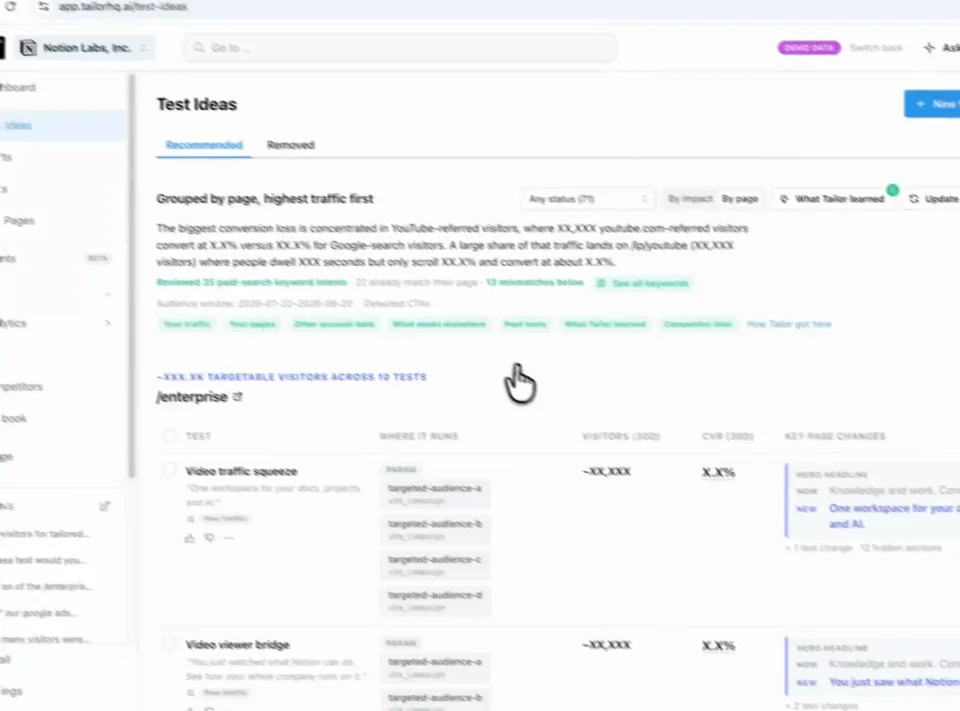
Find a test Review Approve
Teams running Tailor






Three reasons to choose Tailor over Adobe Target
Give paid growth a test it can own.
Bring campaign evidence, the intended audience, and a built page variant into one marketer review workflow.
Respond to the market on your own site.
Use changes in competitor pages and ads to inform relevant tests on your existing campaign destinations.
Connect the page decision to the goal.
Measure the variant against connected signup, pipeline, or revenue goals and use the outcome to shape the next test.
In practice · PDF Expert
Make the page match the intent behind each paid click
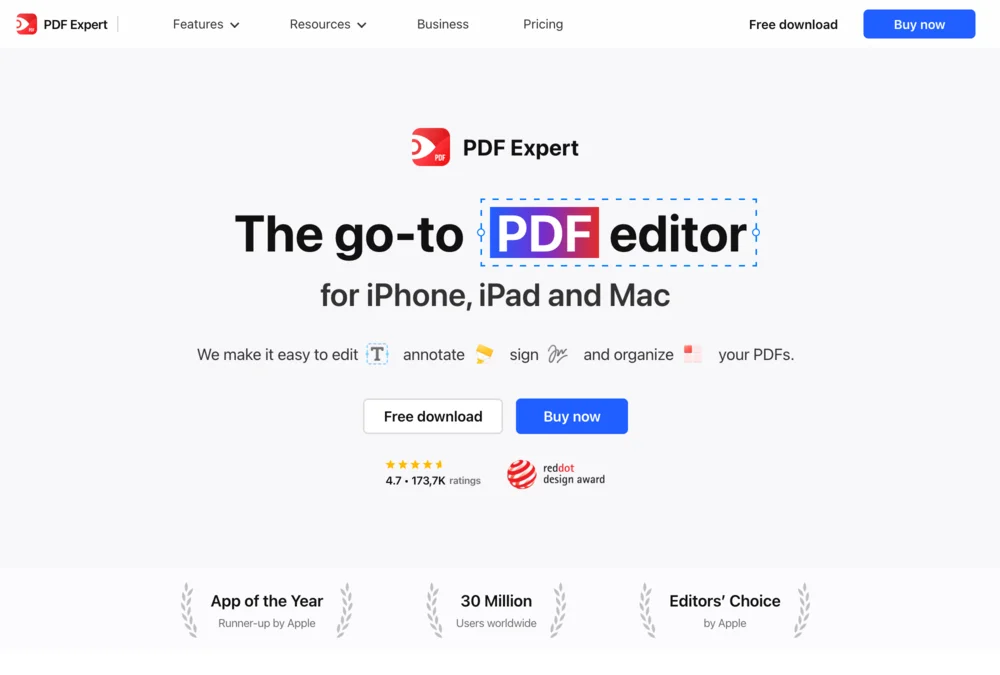
Someone searching for an Adobe alternative needs a different reason to buy than someone looking to fill a PDF. PDF Expert tested keyword-specific messaging instead of sending every search to the same generic pitch.
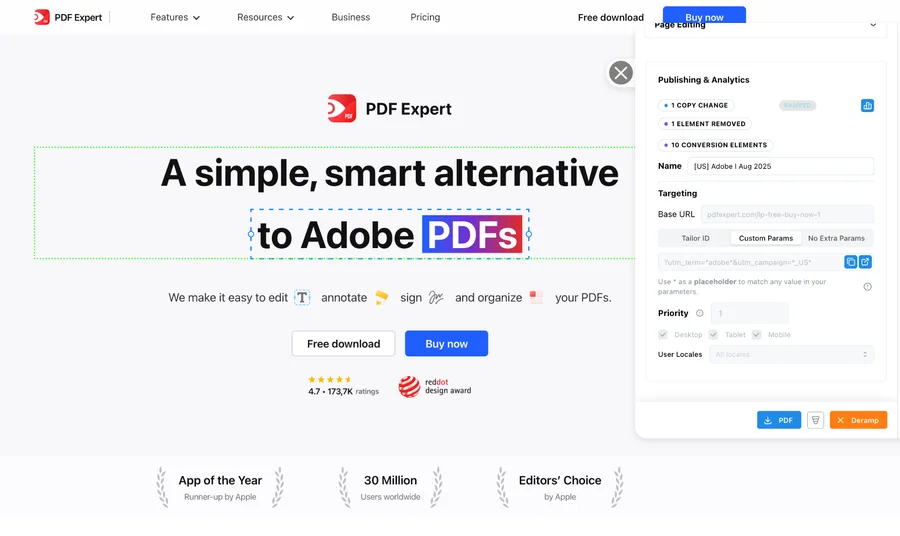
- +10%
- click-through lift for the Adobe variation shown above
- 5 minutes
- reported setup per keyword-specific page variation
- 20+
- keywords tested simultaneously in the program
The learning was specific: some keyword and region combinations improved; others did not. Testing showed where tailoring helped. These are this customer’s reported results, not a forecast for your site.
See the tests and resultsFrom signal to shipped test
Know what to test and get it ready to launch
Tailor monitors competitor pages and ads, combines those signals with your campaign data, and recommends tests for your site. It builds the variant for your review, measures the result, and carries the learning into what comes next.
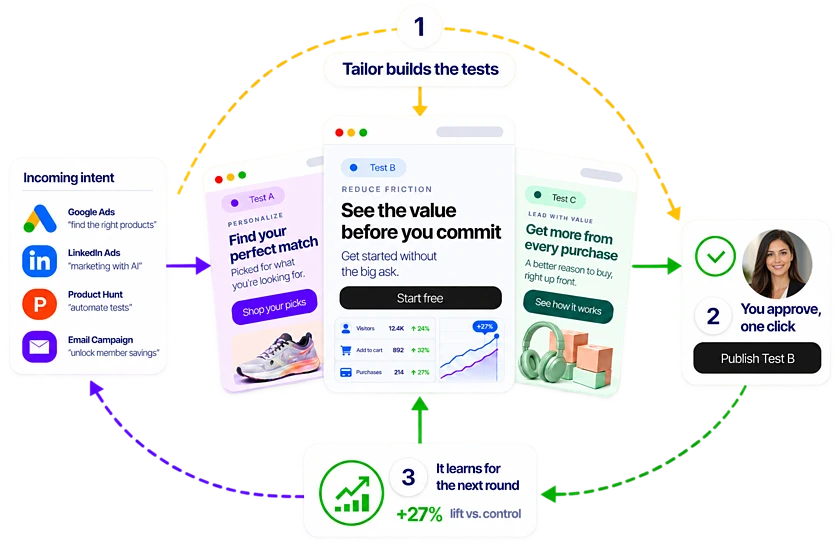
Step 1
Spot the opportunity
Monitor competitor pages and ads alongside your own campaign performance.
Step 2
Get a test recommendation
Tailor proposes a promising test, the audience it serves, and why it may work.
Step 3
Review a built variant
See the change on your existing site, edit it, and approve what launches.
Step 4
Learn from the result
Measure signups, pipeline, or revenue and use the result to guide the next test.
What the demo covers
See how a campaign becomes a website test
See how your team would turn a campaign insight into a test, from the first hypothesis to the conversion goal.
- 1
Find the mismatch
Compare the campaign promise with the page experience visitors receive.
- 2
Propose the test
Review a hypothesis and a page change matched to that intent.
- 3
Approve and launch
See how your team edits, reviews, and publishes the variant.
- 4
Measure the outcome
Evaluate the test using your connected conversion goals.
Leave with a concrete test to evaluate, the audience it serves, and the conversion goal that will decide whether it worked.
Comparison
At a glance
Compare how each tool builds and measures a test.
Adobe Target is rarely bought on its own. Its strongest features (Auto-Target, Automated Personalization, audience sharing) get most of their value from Adobe Analytics, Adobe Experience Platform, and the implementation work that connects them.
What it assumes about your stack
- Adobe Target
- Experience Cloud components, commonly Adobe Analytics and Experience Platform, plus an implementation connecting them
- Tailor AI
- You have a website and an ad account
Who ships a change
- Adobe Target
- Typically a developer, an Adobe specialist, or an agency, depending on the activity type
- Tailor AI
- A marketer, with the variant already built by Tailor
Time to first test
- Adobe Target
- Weeks to months when the implementation is not already in place
- Tailor AI
- Same day in typical cases: install the tag, approve a proposed test
Targeting signals
- Adobe Target
- Deep audience targeting from Adobe profiles, once those profiles are built and maintained
- Tailor AI
- Campaign, keyword, UTM, referrer, device, geography, plus built-in company enrichment
Automated personalization
- Adobe Target
- Auto-Target and Automated Personalization allocate traffic with machine learning, given enough volume and data
- Tailor AI
- Agents propose the test and the variant; a person approves before it ships
Traffic needed to be useful
- Adobe Target
- Its ML features want substantial traffic before they outperform a simple test
- Tailor AI
- Works on campaign-page volumes; segment-level tests sized to the traffic you have
Scope
- Adobe Target
- Web, mobile app, email, and server-side across the Adobe estate
- Tailor AI
- Web post-click journey
Measurement
- Adobe Target
- Deep reporting through Adobe Analytics; weaker on its own
- Tailor AI
- Conversion plus downstream pipeline and revenue via GA4, Amplitude, and CRM
Best buyer
- Adobe Target
- Enterprises with an existing Adobe practice
- Tailor AI
- Performance marketing teams without engineering support
Pricing model
- Adobe Target
- Enterprise contract, quote-based, usually bundled with other Experience Cloud products
- Tailor AI
- Published plans starting at $250/mo
Adobe Target's real capability on any given account depends on what is licensed and implemented. Confirm with Adobe against your own contract rather than against the product page.
In detail
How the two compare in practice
When to consider Adobe Target
- Adobe Analytics and Experience Platform are already running and maintained
- Personalization has to reach mobile apps and server-side, not just web pages
- Audience definitions must stay shared across the whole Adobe estate
- You have the traffic volume its machine-learning allocation needs
When Tailor fits your team
Warp's search marketer had a webinar to fill and a banner still promoting old news. One prompt put the new banner on 105 blog pages in under three minutes, with no ticket and no deploy. That is the gap this comparison is really about: who can act on Tuesday.
- There is no developer available, and there is not going to be one
- Campaign landing pages need to match ad intent, and that is the whole job
- You need results in weeks, not after an implementation project
- Company-level targeting has to work without building profiles in a CDP first
- Your traffic is campaign-scale, not enterprise-homepage-scale
The decision to make
Count the tests that went live in the last six months. If the number is near zero, the tool was never the constraint and a bigger one will not help.
- So most "Adobe Target alternatives" searches are really asking whether you still need the stack underneath it.
- Choose Tailor if you want a marketer to change campaign landing pages this week without a developer, an Adobe consultant, or a data layer project.
- Stay with Adobe Target if you are already invested in Experience Cloud, your audiences live in AEP, and the team that maintains that stack is going to keep existing.
- Where Tailor stops: it does not personalize mobile apps or run server-side across an Experience Cloud estate. It covers the post-click web journey.
FAQ
Frequently asked questions
Most searches for Adobe Target alternatives come from teams who inherited an enterprise personalization licence and never got the implementation that makes it work. Tailor is the opposite shape: a tag, an ad account connection, and an agent that proposes the next test and builds it. First test the same day, no consultant, no data layer project, and results reported against pipeline rather than trapped in a suite.
It depends on which part of Adobe Target you were actually using. If it was campaign landing page personalization and testing, Tailor covers that without the stack underneath: a tag, and a marketer approving variants the agent proposes. If you were using Auto-Target's machine-learning allocation at high traffic volumes, or personalizing a mobile app, that is a different requirement and Tailor is not it.
Yes. Tailor sends experiment exposure into GA4, Amplitude, and Segment, and reads conversions back from your analytics and CRM. Adobe Analytics can keep doing what it does; the testing layer is a separate decision from the measurement layer.
The pattern is consistent at renewal: the implementation took longer than planned, day-to-day changes still need a developer or an agency, and the team is using a fraction of what is licensed. Teams divide the contract by the number of tests that actually went live and start searching.
Tailor tests changes on the rendered page through its site tag. Validate your page templates and tag policies during the demo. Publishing a winning change back into Adobe Experience Manager is a separate workflow; do not assume a native CMS integration.
Other comparisons
- Tailor vs Fermat
- Tailor vs Flint
- Tailor vs Ploy
- Tailor vs SplitSense
- Tailor vs Userled
- Tailor vs Abmatic AI
- Tailor vs Tofu
- Tailor vs HubSpot Smart Content
- Tailor vs Salesforce Personalization
- Tailor vs Conversion.ai
- Tailor vs Freshmarketer
- Tailor vs Optimizely
- Tailor vs VWO
- Tailor vs Mutiny
- Tailor vs AI page builders
- Tailor vs Coframe
- Tailor vs Webflow Optimize
- Tailor vs Visitor identification tools
- Tailor vs Unbounce
- Tailor vs Instapage
- Tailor vs AB Tasty
- Tailor vs Kameleoon
- Tailor vs Convert
- Tailor vs Dynamic Yield
See a proposed test for one of your campaign pages.
See what Tailor would test on your site.
We’ll look at where your page could better match visitor intent, show how a variation gets built, and discuss the goal you would measure. Compare that workflow with Adobe Target on work your team actually needs to do. Have a campaign in mind? Bring it. No preparation required.
Explore the fit on a demo, or start with a site scan.