
 Tailor AIvsHubSpot Smart Content
You have the personalization rules. What should you test?
HubSpot Smart Content shows different content using rules. Tailor helps decide what to change, builds a variant for approval, and turns it into a measured test on your existing site.
Bring one campaign. We will show what Tailor would test and how the workflow differs from HubSpot Smart Content. 30 minutes, no preparation needed.
Last reviewed September 28, 2026 · HubSpot Smart Content website
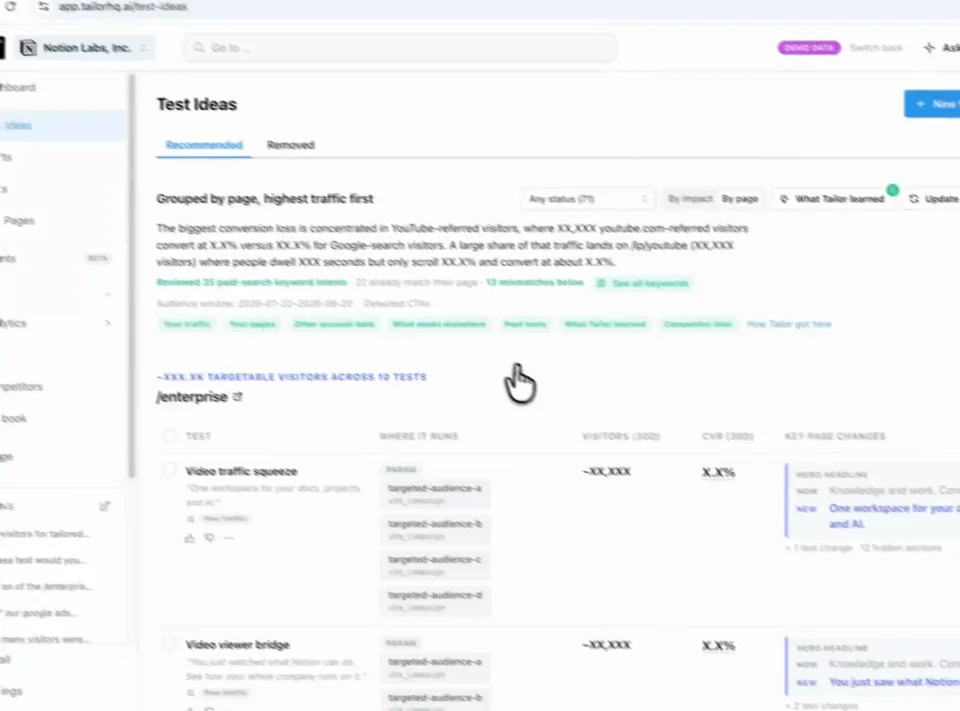
Find a test Review Approve
Teams running Tailor






Three reasons to choose Tailor over HubSpot Smart Content
Start with a hypothesis, not an empty rule.
Campaign gaps, competitor observations, and previous results help Tailor recommend what your team should test next.
Review the proposed page, not just the instructions.
Tailor builds the variant on your existing page so your team can inspect and edit the experience before launch.
Find out whether the rule deserves to stay.
Compare the tailored experience against the original using connected conversion goals, then use the learning in the next test.
In practice · PDF Expert
You paid for the click. Make the page match the intent.
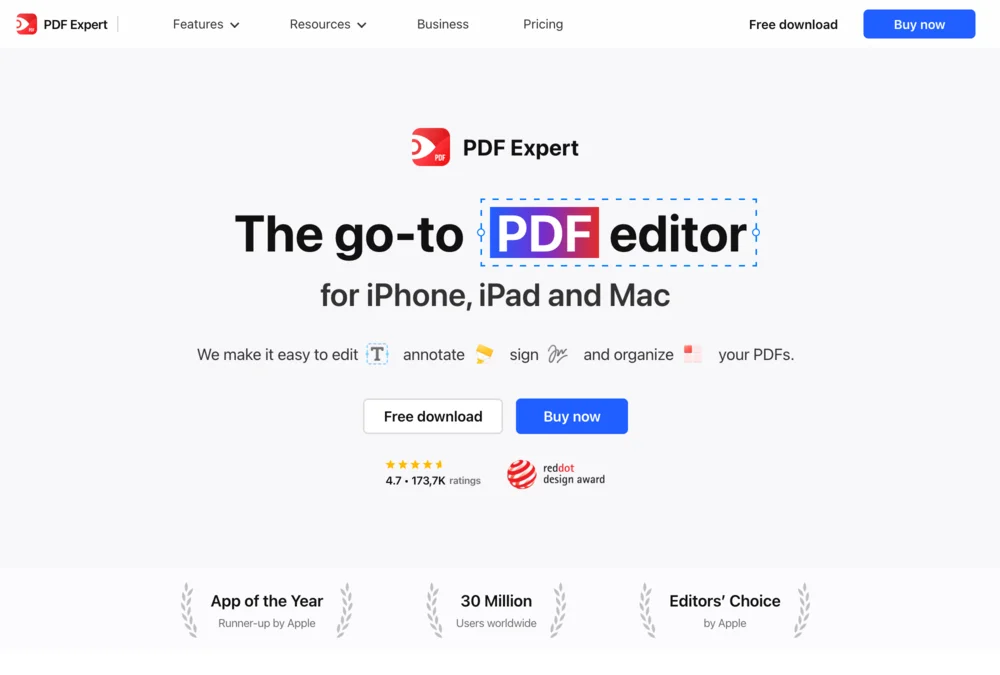
Someone searching for an Adobe alternative needs a different reason to buy than someone looking to fill a PDF. PDF Expert tested keyword-specific messaging instead of sending every search to the same generic pitch.
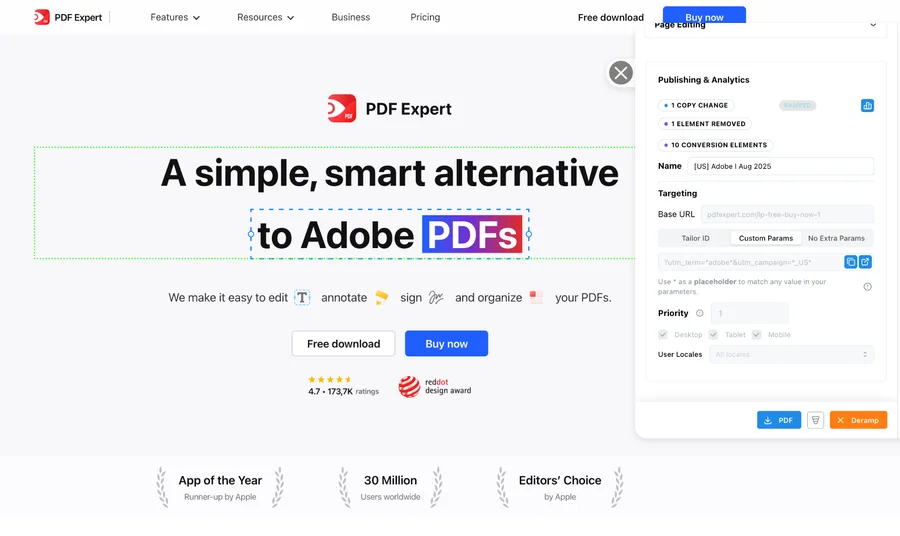
- +10%
- click-through lift for the Adobe variation shown above
- 5 minutes
- reported setup per keyword-specific page variation
- 20+
- keywords tested simultaneously in the program
The learning was specific: some keyword and region combinations improved; others did not. Testing showed where tailoring helped. These are this customer’s reported results, not a forecast for your site.
See the tests and resultsFrom signal to shipped test
Know what to test. Get it ready to launch.
Tailor monitors competitor pages and ads, combines those signals with your campaign data, and recommends tests for your site. It builds the variant for your review, measures the result, and carries the learning into what comes next.
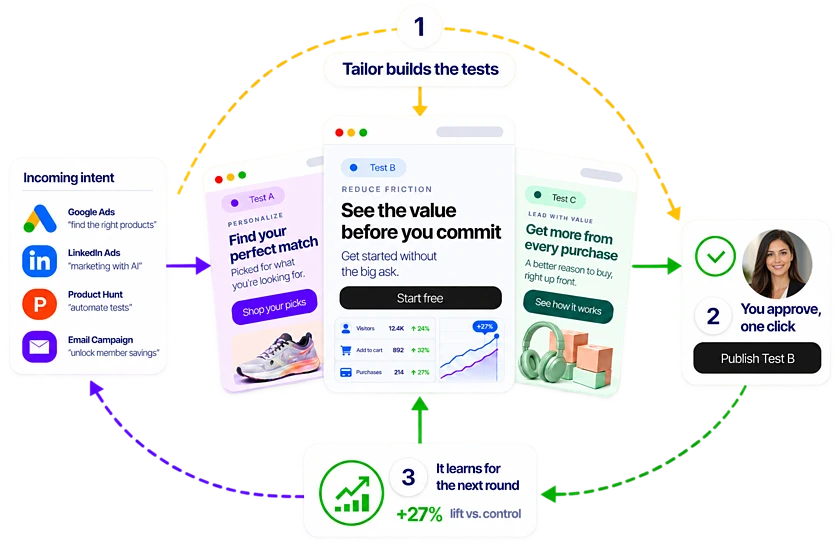
Step 1
Spot the opportunity
Monitor competitor pages and ads alongside your own campaign performance.
Step 2
Get a test recommendation
Tailor proposes a promising test, the audience it serves, and why it may work.
Step 3
Review a built variant
See the change on your existing site, edit it, and approve what launches.
Step 4
Learn from the result
Measure signups, pipeline, or revenue and use the result to guide the next test.
What the demo covers
See how a campaign becomes a website test
See how your team would turn a campaign insight into a test, from the first hypothesis to the conversion goal.
- 1
Find the mismatch
Compare the campaign promise with the page experience visitors receive.
- 2
Propose the test
Review a hypothesis and a page change matched to that intent.
- 3
Approve and launch
See how your team edits, reviews, and publishes the variant.
- 4
Measure the outcome
Evaluate the test using your connected conversion goals.
Leave with a concrete test to evaluate, the audience it serves, and the conversion goal that will decide whether it worked.
Comparison
At a glance
Same goal. A different approach.
Keep Smart Content when you know the content and rules you need inside HubSpot. Consider Tailor when researching, building, and evaluating the next page experiment is the missing workflow.
Starting point
- HubSpot Smart Content
- Content variations and rules configured in HubSpot.
- Tailor AI
- A campaign opportunity and proposed experiment.
Campaign targeting
- HubSpot Smart Content
- Smart rules can use query parameters such as campaign tags.
- Tailor AI
- Campaign and keyword context informs variants and audiences.
Creation
- HubSpot Smart Content
- Your team configures smart content in supported HubSpot content types.
- Tailor AI
- A built page variant for marketer review.
Scope of this comparison
- HubSpot Smart Content
- Smart Content, not the full HubSpot CRM and marketing suite.
- Tailor AI
- Page research, variant execution, and connected-goal testing.
Not ready for a demo?
Find opportunities in your ads and the pages they lead to. Enter your website to start the scan.
In detail
How the two compare in practice
When to consider HubSpot Smart Content
- You have a defined personalization use case that your HubSpot subscription already supports.
- Keeping content operations entirely in HubSpot is the priority.
When Tailor fits your team
- The hard part is choosing and building the next experiment, not writing another audience rule.
- You need a paid-page test workflow across your existing website.
The decision to make
If Smart Content already solves the job, use it. Tailor earns consideration when the unresolved work is deciding what to test and getting that experiment live.
- HubSpot supports query-parameter smart rules, and has testing capabilities beyond Smart Content. This is a comparison of workflows, not a claim that HubSpot cannot personalize paid campaigns.
FAQ
Frequently asked questions
A HubSpot Smart Content alternative is useful when the work goes beyond showing a prepared message to a known segment. Tailor helps turn campaign evidence into the message to test, the built variant, and the measured outcome.
Only if it solves a remaining job. Smart Content may be enough when your team knows the content and targeting rules. Evaluate Tailor when you want campaign research, proposed variants, approval, and conversion learning in an ongoing experiment workflow.
HubSpot documents query-parameter smart rules. Availability depends on the content type and subscription. Do not choose another tool on the assumption that HubSpot cannot recognize campaign parameters.
No. This comparison concerns website personalization and experiments. Keep HubSpot for the CRM, forms, and marketing workflows you need. Validate your site's implementation and connected conversion goals when evaluating Tailor.
Define ownership carefully. Avoid having both systems change the same content for the same visitor. Test an isolated page or element first and verify the rendered experience and conversion tracking before widening the experiment.
Other comparisons
- Tailor vs Flint
- Tailor vs Ploy
- Tailor vs SplitSense
- Tailor vs Userled
- Tailor vs Abmatic AI
- Tailor vs Tofu
- Tailor vs Salesforce Personalization
- Tailor vs Conversion.ai
- Tailor vs Freshmarketer
- Tailor vs Optimizely
- Tailor vs VWO
- Tailor vs Mutiny
- Tailor vs AI page builders
- Tailor vs Coframe
- Tailor vs Webflow Optimize
- Tailor vs Visitor identification tools
- Tailor vs Unbounce
- Tailor vs Instapage
- Tailor vs AB Tasty
- Tailor vs Adobe Target
- Tailor vs Kameleoon
- Tailor vs Convert
- Tailor vs Dynamic Yield
Your page. Your campaign. A concrete next step.
See what Tailor would test on your site.
We’ll look at where your page could better match visitor intent, show how a variation gets built, and discuss the goal you would measure. Compare that workflow with HubSpot Smart Content on work your team actually needs to do. Have a campaign in mind? Bring it. No preparation required.
Book a working demo