
 Tailor AIvs
 Coframe
Your AI testing loop is only as good as the signals feeding it.
Coframe and Tailor both generate variants for approval. Tailor brings the search term, campaign, landing page, previous results, and chosen conversion goal into the test proposal, so a performance marketer can see why it suggested the change before approving it.
Explore the fit on a demo, or start with a site scan.
Last reviewed September 26, 2026 · Coframe website
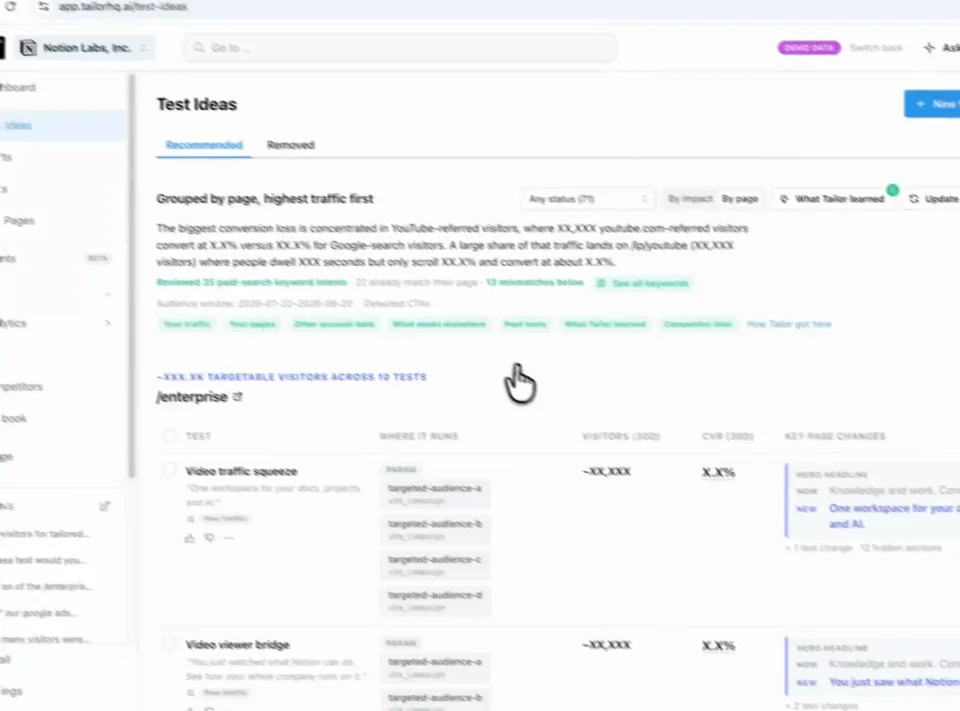
Find a test Review Approve
Teams running Tailor






Three reasons to choose Tailor over Coframe
See the evidence behind the idea.
Review the campaign, page context, competitor observations, and prior results informing a proposed test.
Put paid intent into the proposed variant.
See how the campaign or search term changes the message Tailor drafts for that audience before you approve it.
Choose the outcome that matters.
Judge the experiment against your connected conversion goal and bring the result into future recommendations.
In practice · PDF Expert
You paid for the click. Make the page match the intent.
Someone searching for an Adobe alternative needs a different reason to buy than someone looking to fill a PDF. PDF Expert tested keyword-specific messaging instead of sending every search to the same generic pitch.

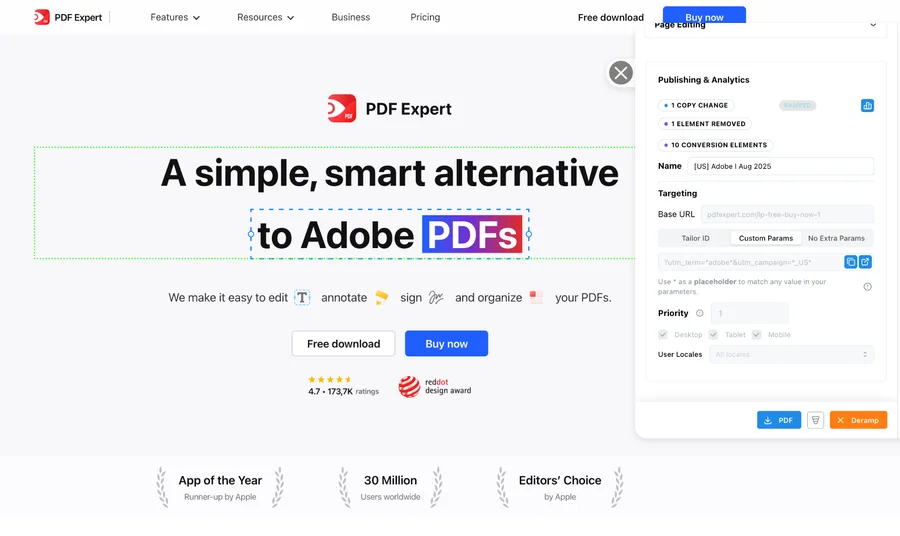
- +10%
- click-through lift for the Adobe variation shown above
- 5 minutes
- reported setup per keyword-specific page variation
- 20+
- keywords tested simultaneously in the program
The learning was specific: some keyword and region combinations improved; others did not. Testing showed where tailoring helped. These are this customer’s reported results, not a forecast for your site.
See the tests and resultsFrom signal to shipped test
Know what to test. Get it ready to launch.
Tailor monitors competitor pages and ads, combines those signals with your campaign data, and recommends tests for your site. It builds the variant for your review, measures the result, and carries the learning into what comes next.
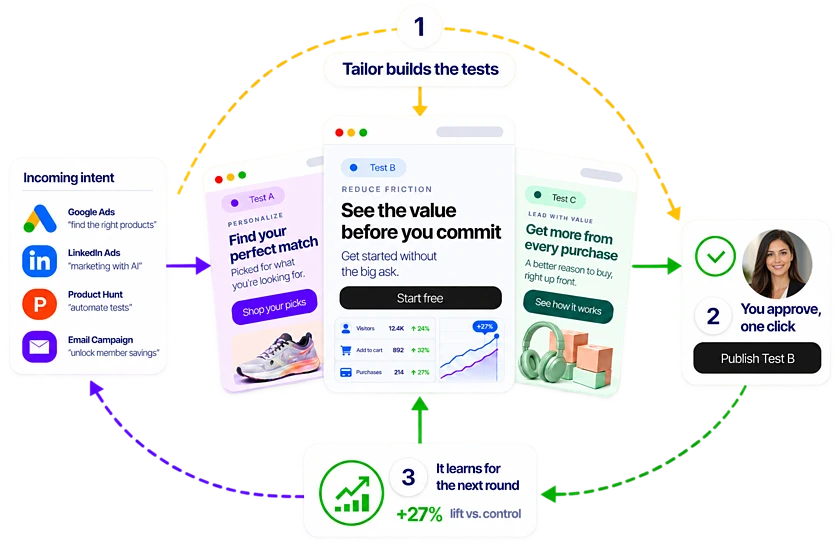
Step 1
Spot the opportunity
Monitor competitor pages and ads alongside your own campaign performance.
Step 2
Get a test recommendation
Tailor proposes a promising test, the audience it serves, and why it may work.
Step 3
Review a built variant
See the change on your existing site, edit it, and approve what launches.
Step 4
Learn from the result
Measure signups, pipeline, or revenue and use the result to guide the next test.
What the demo covers
See the evidence behind a paid-search test
Bring one campaign. We will trace its search intent to the current page, the proposed change, and the conversion goal that will judge the result.
- 1
Read the intent
Start with the campaign and search term that brought the visitor to the page.
- 2
Inspect the evidence
Review the current page, previous results, and the reason Tailor proposed this test.
- 3
Approve the variant
Edit or approve the built page change before anything launches.
- 4
Judge the result
Measure the test against the connected conversion goal, then use the learning in the next recommendation.
Leave with one proposed campaign test, the evidence behind it, and the goal that will decide whether it worked.
Comparison
At a glance
Same goal. A different approach.
Tailor and Coframe both use AI to find opportunities, generate variants, personalize experiences, and run tests with human review. The useful comparison is the evidence and operating model behind that loop.
Optimization focus
- Coframe
- Continuously improve and personalize website experiences with an AI optimization layer
- Tailor AI
- Match specific paid and enriched traffic segments to the most relevant experience
Where the loop starts
- Coframe
- The website, its audience, and opportunities Coframe identifies
- Tailor AI
- Campaign, keyword, competitor, page-performance, firmographic, and prior-test signals
Success metric
- Coframe
- Conversion and lift tracking; confirm the downstream goals and integrations you require
- Tailor AI
- Connected signup, pipeline, and revenue goals, read by segment
AI role
- Coframe
- Surfaces opportunities and generates copy, code, and visual variants for approval
- Tailor AI
- Prioritizes tests and builds variants for marketer approval
Approval
- Coframe
- Coframe states that customers approve generated variants
- Tailor AI
- Marketer reviews the hypothesis, audience, page change, and goal before launch
Targeting signals
- Coframe
- Website and audience personalization; validate the exact targeting inputs for your plan
- Tailor AI
- Campaign, keyword, UTM, geo, device, referrer, and available company signals
Company enrichment
- Coframe
- Not a core capability
- Tailor AI
- Built-in IP-based company identification, used to drive segment-level tests
Ad-to-page continuity
- Coframe
- Page-only, no ad context
- Tailor AI
- Matches the headline and CTA to the ad that brought the visitor
Measurement integration
- Coframe
- Internal optimization metrics
- Tailor AI
- Events fire into GA4, Amplitude, and Segment with segment dimensions
Page load impact
- Coframe
- JS snippet with a learning period
- Tailor AI
- Async script, minimal Lighthouse impact, designed to preserve SEO
In detail
How the two compare in practice
When to consider Coframe
- You want an AI layer that learns your site and audience and surfaces optimization opportunities
- You want AI-generated copy, code, and visual variants within Coframe's workflow
- Coframe's current personalization and measurement model fits the audiences and goals you need
When Tailor fits your team
- Your paid traffic carries clearly different intents that deserve different pages (Sleep vs Stress vs Anxiety, brand vs cold, ICP vs non-ICP)
- You need to measure downstream impact (signups, pipeline, revenue) per segment, not just aggregate on-page CVR
- You want each proposed test grounded in paid-intent and competitor evidence before approval
- You want to match the ad's promise to the landing page headline, not optimize the page in isolation
- You want company-level personalization (industry, company size, role) using built-in IP enrichment
- Higher on-page CVR sometimes hides worse-fit traffic for your sales team and you need to learn against pipeline quality
The decision to make
Run both on the same use case. Compare which evidence produced the recommendation, how precisely the audience is defined, what the approval shows, and whether the result connects to the business outcome you own.
- Tailor starts with paid campaign, keyword, competitor, page-performance, firmographic, and prior-test signals, then proposes tests for specific traffic segments.
- Coframe starts by learning the site and audience, surfaces opportunities, and generates variants for approval. Confirm its current targeting inputs, measurement integrations, and workflow against your use case.
- Choose Tailor when paid-intent message match and downstream outcomes are central. Evaluate Coframe when you want a broad AI optimization layer and its current audience model and approval workflow fit your team.
FAQ
Frequently asked questions
Teams comparing Coframe alternatives should evaluate the evidence behind each recommendation, the audience definition, the approval experience, and the outcome that feeds the next test. Tailor is built around paid-intent and competitor signals, segment-specific variants, and downstream goals. Coframe also keeps people in the approval loop and offers AI-generated copy, code, and visuals, so compare both on one real campaign rather than an autonomy claim.
Other comparisons
- Tailor vs Fermat
- Tailor vs Flint
- Tailor vs Ploy
- Tailor vs SplitSense
- Tailor vs Userled
- Tailor vs Abmatic AI
- Tailor vs Tofu
- Tailor vs HubSpot Smart Content
- Tailor vs Salesforce Personalization
- Tailor vs Conversion.ai
- Tailor vs Freshmarketer
- Tailor vs Optimizely
- Tailor vs VWO
- Tailor vs Mutiny
- Tailor vs AI page builders
- Tailor vs Webflow Optimize
- Tailor vs Visitor identification tools
- Tailor vs Unbounce
- Tailor vs Instapage
- Tailor vs AB Tasty
- Tailor vs Adobe Target
- Tailor vs Kameleoon
- Tailor vs Convert
- Tailor vs Dynamic Yield
Your page. Your campaign. A concrete next step.
See what Tailor would test on your site.
We’ll look at where your page could better match visitor intent, show how a variation gets built, and discuss the goal you would measure. Compare that workflow with Coframe on work your team actually needs to do. Have a campaign in mind? Bring it. No preparation required.
Explore the fit on a demo, or start with a site scan.