
 Tailor AIvsAI page builders (Claude, Lovable, v0)
Find out what converts on the page you build
AI page builders help make the page. Tailor monitors competitor moves and campaign performance to recommend what to test, builds the variant on your existing site, and learns which version converts each audience.
Explore the fit on a demo, or start with a site scan.
Last reviewed September 26, 2026 · AI page builders (Claude, Lovable, v0) website
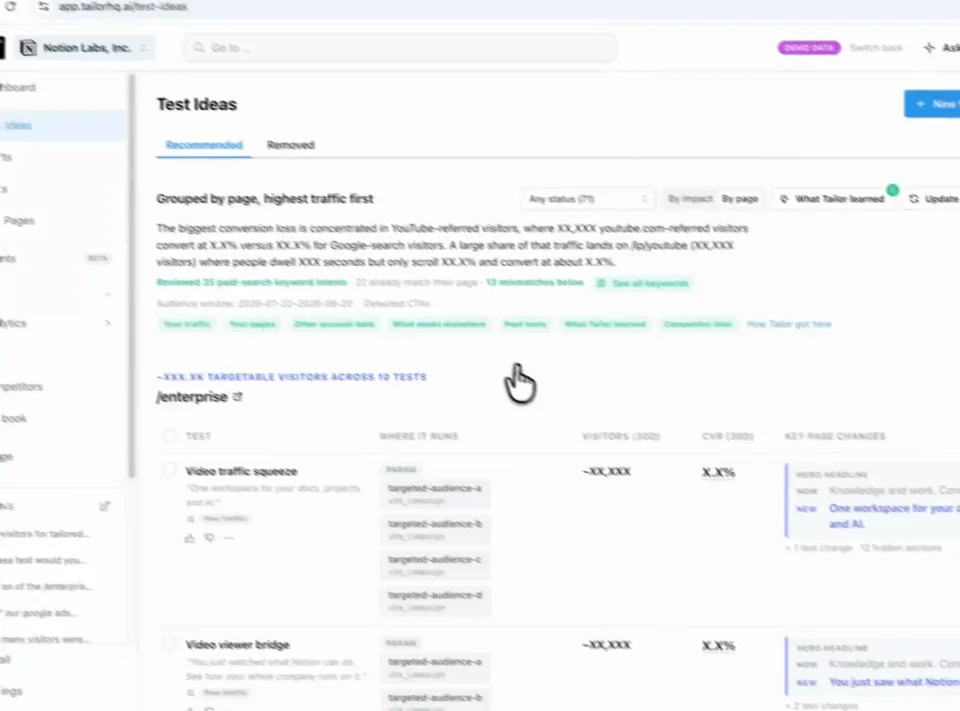
Find a test Review Approve
Teams running Tailor






Three reasons to choose Tailor over AI page builders
Know what deserves to be built.
Start with test recommendations informed by campaign performance, competitor observations, and results from earlier tests.
Improve the page already live.
Review and edit a proposed variant on your existing site, with the intended audience defined before launch.
Get the experiment with the variant.
Target, launch, measure, and learn in one workflow, without assembling your own experimentation system around a generated page.
In practice · PDF Expert
Make the page match the intent behind each paid click
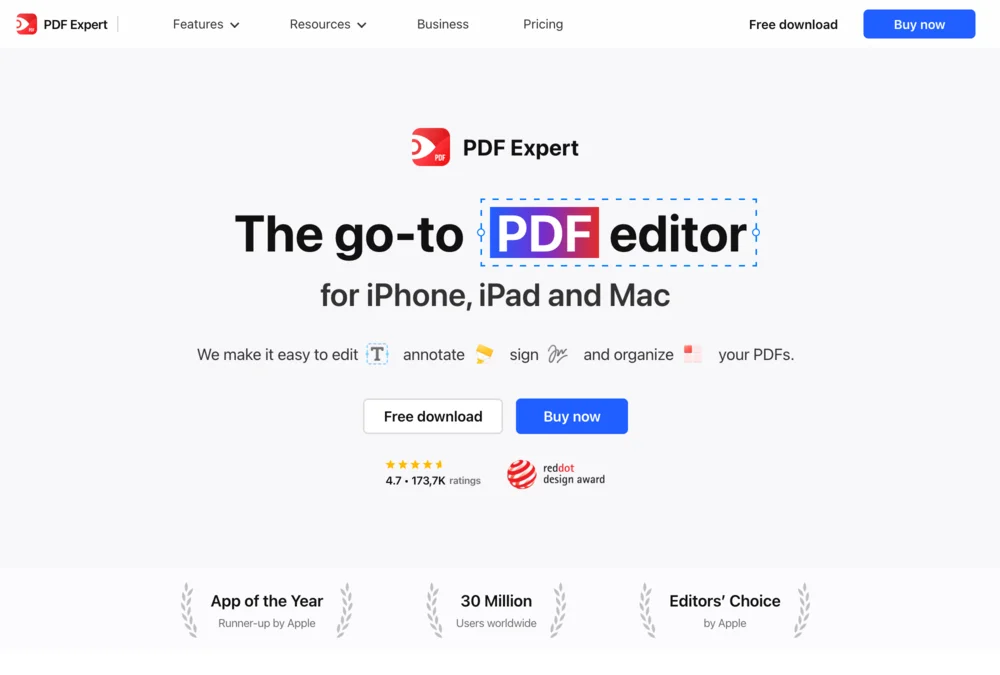
Someone searching for an Adobe alternative needs a different reason to buy than someone looking to fill a PDF. PDF Expert tested keyword-specific messaging instead of sending every search to the same generic pitch.
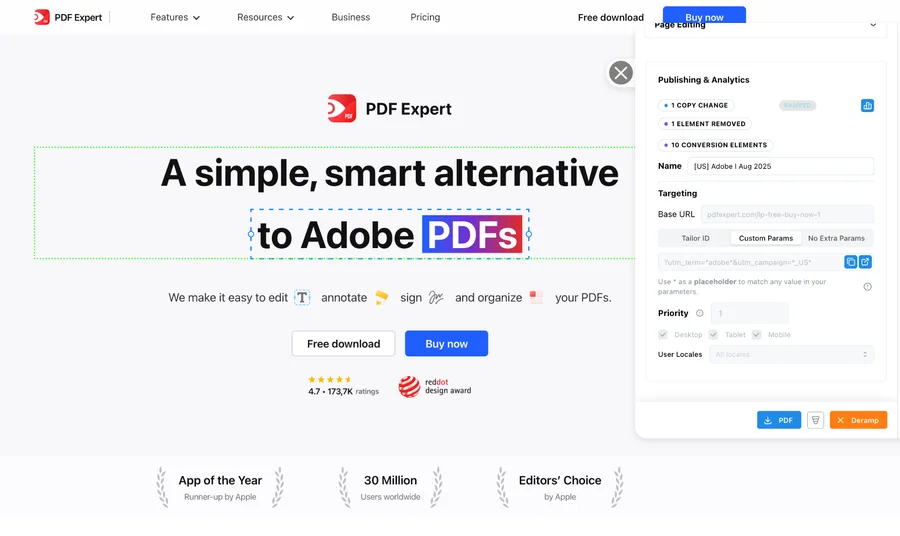
- +10%
- click-through lift for the Adobe variation shown above
- 5 minutes
- reported setup per keyword-specific page variation
- 20+
- keywords tested simultaneously in the program
The learning was specific: some keyword and region combinations improved; others did not. Testing showed where tailoring helped. These are this customer’s reported results, not a forecast for your site.
See the tests and resultsFrom signal to shipped test
Know what to test and get it ready to launch
Tailor monitors competitor pages and ads, combines those signals with your campaign data, and recommends tests for your site. It builds the variant for your review, measures the result, and carries the learning into what comes next.
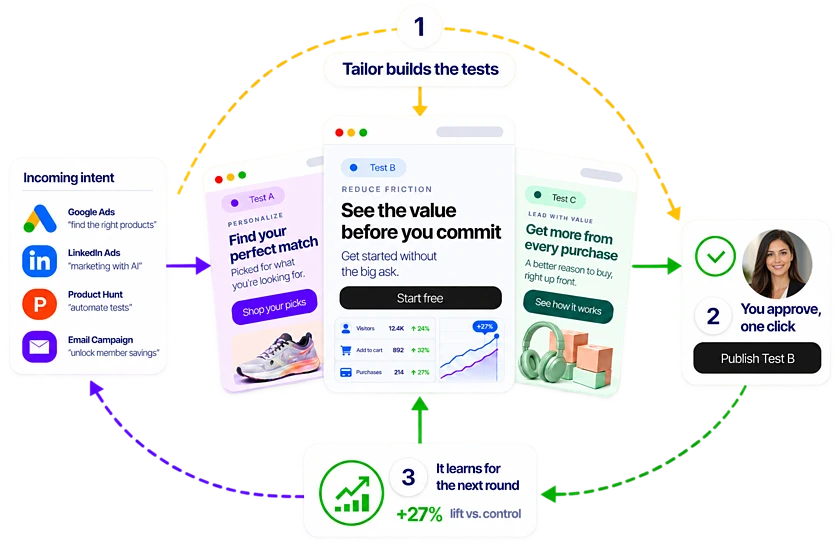
Step 1
Spot the opportunity
Monitor competitor pages and ads alongside your own campaign performance.
Step 2
Get a test recommendation
Tailor proposes a promising test, the audience it serves, and why it may work.
Step 3
Review a built variant
See the change on your existing site, edit it, and approve what launches.
Step 4
Learn from the result
Measure signups, pipeline, or revenue and use the result to guide the next test.
What the demo covers
See how a campaign becomes a website test
See how your team would turn a campaign insight into a test, from the first hypothesis to the conversion goal.
- 1
Find the mismatch
Compare the campaign promise with the page experience visitors receive.
- 2
Propose the test
Review a hypothesis and a page change matched to that intent.
- 3
Approve and launch
See how your team edits, reviews, and publishes the variant.
- 4
Measure the outcome
Evaluate the test using your connected conversion goals.
Leave with a concrete test to evaluate, the audience it serves, and the conversion goal that will decide whether it worked.
Comparison
At a glance
Compare how each tool builds and measures a test.
AI page builders can produce and deploy sophisticated pages, applications, integrations, and analytics. They are flexible construction tools rather than a packaged paid-traffic experimentation operating system.
What it produces
- AI page builders (Claude, Lovable, v0)
- New standalone pages or page drafts
- Tailor AI
- Personalized variants of your existing pages, targeted by ad campaign, keyword, audience, or company
Where it operates
- AI page builders (Claude, Lovable, v0)
- Can create and deploy a new site or application, depending on the builder
- Tailor AI
- On existing live pages across common CMSs and custom sites
Targeting
- AI page builders (Claude, Lovable, v0)
- Possible if your team specifies and builds the targeting system
- Tailor AI
- Ad campaign, keyword, UTM, geo, device, audience segment, identified company
Visitor identification
- AI page builders (Claude, Lovable, v0)
- Not a feature
- Tailor AI
- Built-in IP-based company, industry, size, role enrichment
A/B testing
- AI page builders (Claude, Lovable, v0)
- Can be custom-built or integrated, with your team owning the experiment system
- Tailor AI
- Packaged per-segment testing, ramp controls, and decision alerts
Downstream measurement
- AI page builders (Claude, Lovable, v0)
- Can be built through analytics and CRM integrations; your team defines and maintains it
- Tailor AI
- Connects tests to signups, pipeline, and revenue in a packaged workflow
Recommendations
- AI page builders (Claude, Lovable, v0)
- Can generate ideas from the context and systems you provide
- Tailor AI
- Ranks test opportunities from campaign, page, competitor, and prior-test evidence
Time to live test
- AI page builders (Claude, Lovable, v0)
- Generation is fast. Getting it live, targeted, tested, and measured is a separate workflow
- Tailor AI
- Minutes. Edit live page, target segment, ship variant, see results
Best buyer
- AI page builders (Claude, Lovable, v0)
- Anyone who needs a page or prototype
- Tailor AI
- VP Growth, Head of Demand Gen, VP Marketing with funnel ownership
Pricing model
- AI page builders (Claude, Lovable, v0)
- Per-seat or per-page generation, depending on tool
- Tailor AI
- Platform fee + usage tied to traffic and identified visits
Based on public product information and how growth teams typically use these tools alongside an existing website.
In detail
How the two compare in practice
When to consider AI page builders (Claude, Lovable, v0)
- You need a brand new page or microsite from scratch and don't have one yet
- You're early-stage and don't have meaningful paid traffic to optimize
- You want to spin up a one-off page quickly with no targeting or measurement layer
- Your team prefers code-generation workflows over page-edit workflows
When Tailor fits your team
Use Tailor to target and test pages created with an AI page builder.
- You already have a website with paid traffic and need to improve conversion across multiple intents
- You need per-campaign or per-audience personalization (not a single new page)
- You need to measure impact on pipeline, revenue, or signups, not just clicks
- You need to know which companies are visiting and personalize for target accounts
- You want a built-in A/B testing layer with auto-ramp and downstream metrics
- Your buyer is accountable for ROAS, CAC, or pipeline efficiency
The decision to make
Use an AI builder to draft a page and Tailor to target, test, and measure it.
- Tailor solves a different problem: which page should which segment of your paid traffic actually see, did the change move signups or pipeline, and what should you change next.
- Most growth teams need both. Use an AI page builder to draft a new page. Use Tailor to target it to the right ad campaign or audience, run an A/B test, identify which companies converted, and prove it lifted downstream metrics.
- Choose Tailor over an AI page builder alone if you have meaningful paid spend, multiple traffic intents, and a buyer who has to defend ROAS or CAC.
Questions worth asking both vendors
- How many ad campaigns or keyword themes do you run? How many distinct audience intents?
- Are your high-intent paid clicks landing on a generic page or one tailored to that intent?
- Do you know which companies clicked your last campaign and whether they converted?
- How do you currently test landing page changes per segment, and how long does it take to learn?
- Can you tie a landing page change to pipeline or revenue movement today?
FAQ
Frequently asked questions
No. They solve different problems. AI page builders generate the page. Tailor decides which version of the page each audience sees, runs the experiment, identifies who converted, and connects the result to downstream metrics. Most growth teams use both.
Yes. Tailor works on any live page regardless of how it was built. Generate the page with whatever tool fits, deploy it, then layer Tailor on top to personalize and test.
Generating pages is now cheap. The hard parts are knowing which traffic should see which page, targeting the right segment, running a controlled A/B test, measuring the outcome, and deciding what to test next. You can build those steps around an AI-generated page, but your team then owns the targeting, experiment setup, measurement, and next-test workflow. Tailor brings those steps together around your existing site.
Other comparisons
- Tailor vs Fermat
- Tailor vs Flint
- Tailor vs Ploy
- Tailor vs SplitSense
- Tailor vs Userled
- Tailor vs Abmatic AI
- Tailor vs Tofu
- Tailor vs HubSpot Smart Content
- Tailor vs Salesforce Personalization
- Tailor vs Conversion.ai
- Tailor vs Freshmarketer
- Tailor vs Optimizely
- Tailor vs VWO
- Tailor vs Mutiny
- Tailor vs Coframe
- Tailor vs Webflow Optimize
- Tailor vs Visitor identification tools
- Tailor vs Unbounce
- Tailor vs Instapage
- Tailor vs AB Tasty
- Tailor vs Adobe Target
- Tailor vs Kameleoon
- Tailor vs Convert
- Tailor vs Dynamic Yield
See a proposed test for one of your campaign pages.
See what Tailor would test on your site.
We’ll look at where your page could better match visitor intent, show how a variation gets built, and discuss the goal you would measure. Compare that workflow with AI page builders (Claude, Lovable, v0) on work your team actually needs to do. Have a campaign in mind? Bring it. No preparation required.
Explore the fit on a demo, or start with a site scan.