
 Tailor AIvsSplitSense
Your next test should know what brought the visitor.
SplitSense analyzes on-site behavior and builds experiments. Tailor brings campaign intent and competitor observations into the test, so the proposed page speaks to the reason behind the visit.
Bring one campaign. We will show what Tailor would test and how the workflow differs from SplitSense. 30 minutes, no preparation needed.
Last reviewed September 28, 2026 · SplitSense website
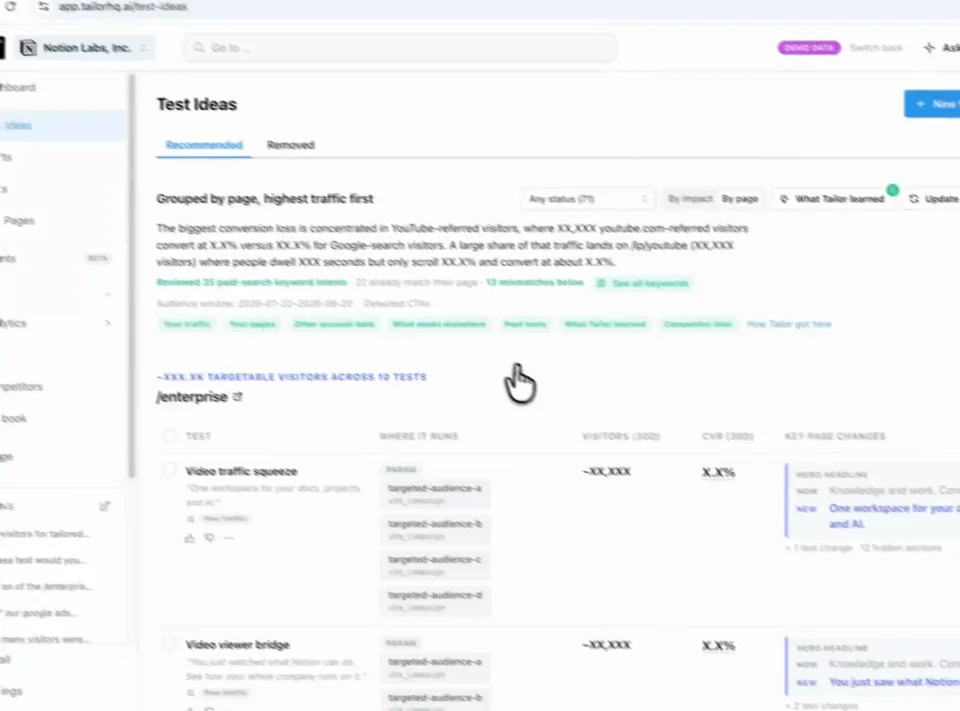
Find a test Review Approve
Teams running Tailor






Three reasons to choose Tailor over SplitSense
Explain the visit before changing the page.
Use campaign and keyword context to distinguish an intent mismatch from a page-wide problem.
Bring the market into the hypothesis.
Competitor page and ad changes inform recommendations alongside your own campaign performance.
Review the audience, variant, and goal together.
See who the test is for and how you will judge it before approving the experience.
In practice · PDF Expert
You paid for the click. Make the page match the intent.
Someone searching for an Adobe alternative needs a different reason to buy than someone looking to fill a PDF. PDF Expert tested keyword-specific messaging instead of sending every search to the same generic pitch.
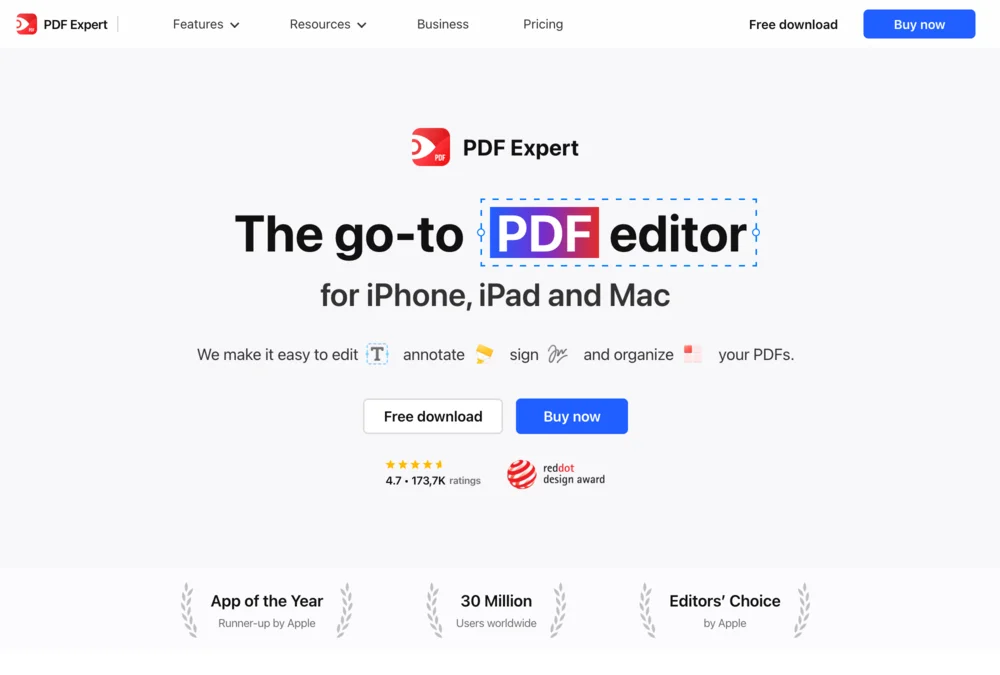
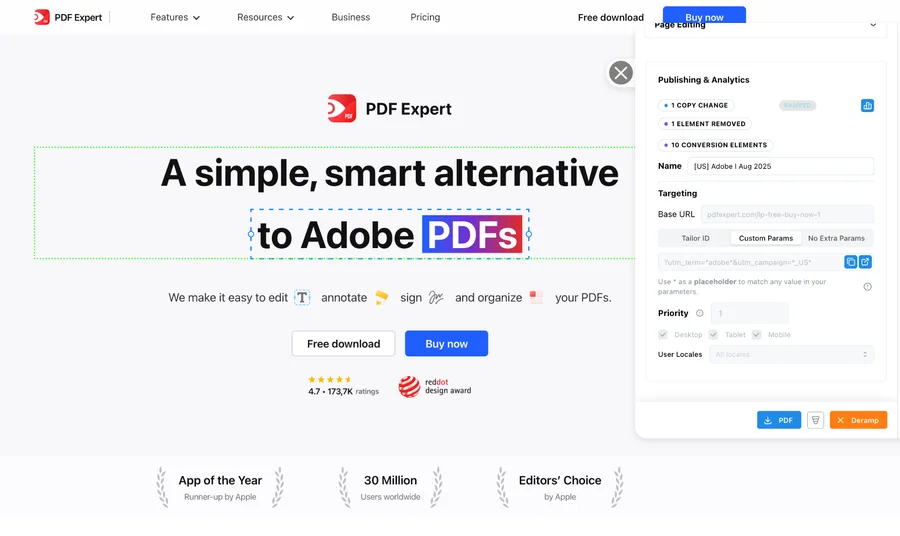
- +10%
- click-through lift for the Adobe variation shown above
- 5 minutes
- reported setup per keyword-specific page variation
- 20+
- keywords tested simultaneously in the program
The learning was specific: some keyword and region combinations improved; others did not. Testing showed where tailoring helped. These are this customer’s reported results, not a forecast for your site.
See the tests and resultsFrom signal to shipped test
Know what to test. Get it ready to launch.
Tailor monitors competitor pages and ads, combines those signals with your campaign data, and recommends tests for your site. It builds the variant for your review, measures the result, and carries the learning into what comes next.
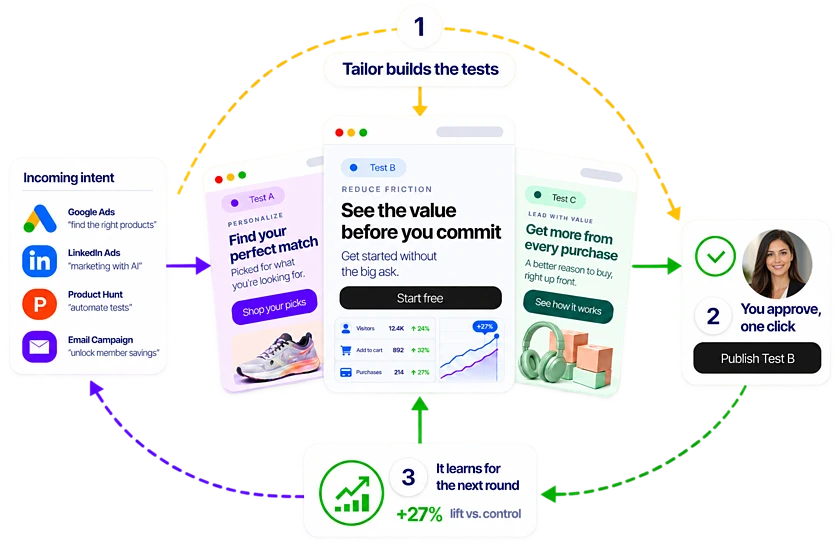
Step 1
Spot the opportunity
Monitor competitor pages and ads alongside your own campaign performance.
Step 2
Get a test recommendation
Tailor proposes a promising test, the audience it serves, and why it may work.
Step 3
Review a built variant
See the change on your existing site, edit it, and approve what launches.
Step 4
Learn from the result
Measure signups, pipeline, or revenue and use the result to guide the next test.
What the demo covers
See how a campaign becomes a website test
See how your team would turn a campaign insight into a test, from the first hypothesis to the conversion goal.
- 1
Find the mismatch
Compare the campaign promise with the page experience visitors receive.
- 2
Propose the test
Review a hypothesis and a page change matched to that intent.
- 3
Approve and launch
See how your team edits, reviews, and publishes the variant.
- 4
Measure the outcome
Evaluate the test using your connected conversion goals.
Leave with a concrete test to evaluate, the audience it serves, and the conversion goal that will decide whether it worked.
Comparison
At a glance
Same goal. A different approach.
Both products connect AI analysis with experiment creation. Choose Tailor when paid-campaign context is central to deciding which experience to test.
Evidence to evaluate
- SplitSense
- Session and analytics analysis plus page-level opportunity detection.
- Tailor AI
- Campaign intent, page context, competitor observations, and test learnings.
Execution
- SplitSense
- Editable experiment variants and traffic splitting.
- Tailor AI
- Built variants for review and testing on existing pages.
Key demo question
- SplitSense
- How does observed visitor behavior become a testable page change?
- Tailor AI
- How does the campaign change the proposed message and audience?
Success
- SplitSense
- Experiment results and regression monitoring are part of the stated workflow.
- Tailor AI
- Results against connected conversion goals inform the next test.
Not ready for a demo?
Find opportunities in your ads and the pages they lead to. Enter your website to start the scan.
In detail
How the two compare in practice
When to consider SplitSense
- You are evaluating an integrated session-analysis and experimentation workflow.
- Your primary question is what on-site behavior reveals about conversion friction.
When Tailor fits your team
- You want a different hypothesis for different paid-search intents.
- Your team needs to connect competitor observations with a concrete experiment on its own site.
The decision to make
Give both tools the same page and business goal. Compare the explanation for the test, the variant quality, and how the result changes the next recommendation.
- SplitSense describes session analysis, variant creation, traffic splitting, and regression monitoring. Evaluate the quality of the proposed experiment, not just whether either tool has AI.
FAQ
Frequently asked questions
If you are comparing SplitSense alternatives, ask each tool to explain the visitor's intent before showing a redesigned page. Tailor is built to make the paid campaign part of that reasoning.
Yes. Both are relevant to teams evaluating AI-assisted experimentation. Tailor's paid-traffic focus makes campaign intent and competitor observations part of the buying conversation. Compare both on a real page rather than assuming one product cannot run tests.
No. A proposed variant is a hypothesis. Your traffic, conversion rate, audience definition, and measured result determine whether the change helps. Separate the speed of building a test from the time needed to evaluate it.
Ask what evidence supports the idea, which audience it serves, what the control is, and which business goal decides success. Then inspect the actual variant, including mobile, before approving it.
Other comparisons
- Tailor vs Flint
- Tailor vs Ploy
- Tailor vs Userled
- Tailor vs Abmatic AI
- Tailor vs Tofu
- Tailor vs HubSpot Smart Content
- Tailor vs Salesforce Personalization
- Tailor vs Conversion.ai
- Tailor vs Freshmarketer
- Tailor vs Optimizely
- Tailor vs VWO
- Tailor vs Mutiny
- Tailor vs AI page builders
- Tailor vs Coframe
- Tailor vs Webflow Optimize
- Tailor vs Visitor identification tools
- Tailor vs Unbounce
- Tailor vs Instapage
- Tailor vs AB Tasty
- Tailor vs Adobe Target
- Tailor vs Kameleoon
- Tailor vs Convert
- Tailor vs Dynamic Yield
Your page. Your campaign. A concrete next step.
See what Tailor would test on your site.
We’ll look at where your page could better match visitor intent, show how a variation gets built, and discuss the goal you would measure. Compare that workflow with SplitSense on work your team actually needs to do. Have a campaign in mind? Bring it. No preparation required.
Book a working demo