
Guide · Tools
Best Conversion Rate Optimization Tools for Growth Teams (2026)
Compare the cost of acquiring more traffic with the opportunity to improve page conversion.
CRO tools cover different jobs, including testing, page building, personalization, and analysis.
This guide ranks 8 conversion rate optimization tools by what they actually do, who they fit, and where they fall short. It pairs with our conversion rate optimization guide, which covers process. This one covers the tooling.
By Tailor AI team · Last updated July 20, 2026
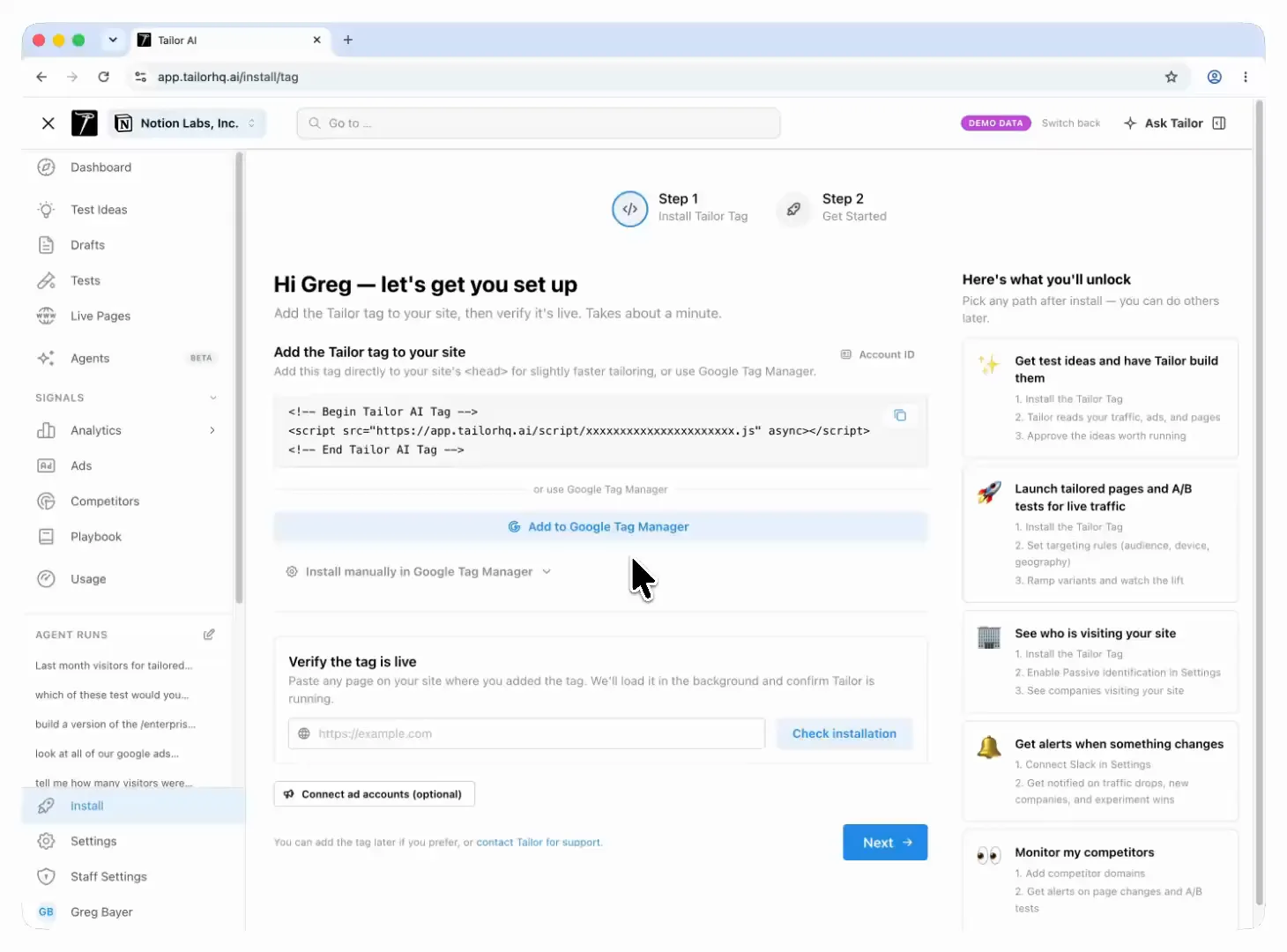
- Who this is for
- Growth and performance marketing teams where paid spend is a real line item and the website, not the ads, is the thing holding conversion back.
- Methodology
- Claims come from primary vendor pages and documentation. No review scores, no invented stats. If a capability isn't explicit on the vendor site, treat it as verify, not true.
Teams running Tailor






TL;DR
The short answer
- If you spend on paid traffic and want tests found, built, and launched for you → Tailor AI
- If you run an enterprise, engineering-led experimentation program → Optimizely
- If you want one mid-market suite for testing plus behavior analytics → VWO
- If your bottleneck is building new campaign pages, not testing existing ones → Unbounce or Instapage
- If you need focused A/B testing with a privacy-first approach → Convert.com
- If you want experimentation plus personalization with strong EU support → AB Tasty
- If you run B2B ABM and want to personalize by account → Mutiny
The full entries below cover what each tool actually is, where it wins, and where it doesn’t.
Context
What conversion rate optimization tools actually do
Every tool in this space maps to one or more of four jobs. Knowing which job is your bottleneck is most of the buying decision.
- Research
- Figure out what to test: where visitors drop off, which segments underperform, what the ad promised that the page didn't deliver.
- Build
- Create the variant: a new headline, a reordered page, or an entirely new landing page.
- Test
- Split traffic, measure lift, and know whether the change caused the result.
- Measure downstream
- Connect the winning variant to trials, pipeline, and revenue rather than clicks and form fills.
Most conversion rate optimization software covers one or two of these jobs well and leaves the rest to you. That’s fine if you know which jobs you’re buying. It’s expensive if you don’t.
“We’re doing between 50 and 100 tests per quarter, but this connecting of experimentation to campaigns and being able to attribute things more accurately to our ROAS is lacking.”
Criteria
Six questions we asked of every tool
These are the same questions worth asking on any sales call. They separate the tools quickly.
- 1
Does it work on your existing site, or only on pages built inside the tool?
- 2
Who does the work: does your team design and build every test, or does the tool carry part of the loop?
- 3
Can it target by segment (campaign, keyword, geo, device, company), or only site-wide?
- 4
Does measurement stop at clicks and form fills, or reach trials, pipeline, and revenue?
- 5
What does the script do to page speed, Core Web Vitals, and what search engines see?
- 6
What engineering effort is required after install, honestly?
A vendor who answers all six directly is rare. Vague answers to question 6 predict slow rollouts.
The list
The 8 best CRO tools, ranked
The order reflects fit for the audience of this guide: growth teams with real paid spend and limited engineering support. A different reader (an enterprise experimentation lead, a pure ABM team) would order this list differently, and the entries say so where it applies. Every tool here’s a credible product; none of them is the right answer for every team.
1.Tailor AI
tailorhq.ai ↗Automatic experience tailoring
- What it is
- Tailor is automatic experience tailoring for your existing site. It researches visitor intent per segment (campaign, keyword, audience, geo, enriched company and role), finds the tests worth running, builds the variants, launches them on your approval, and keeps learning per segment. It also monitors ad-to-page match, so the promise in your Google or LinkedIn ad and the headline on the page stay aligned.
- Strengths
- It covers all four jobs in one loop: research, build, test, and downstream measurement tied to trials, pipeline, and revenue. Marketers edit live pages directly in the browser, so there is no dev queue between a test idea and a running test. It also watches per-segment performance for anomalies, so a broken campaign or a shifted auction doesn’t quietly burn budget for two weeks. The script loads asynchronously and doesn’t change what search engines see, so it’s SEO-safe and does not affect your Lighthouse score.
- Limitations
- Tailor isn't built for centralized enterprise experimentation programs with formal governance workflows, and it isn't a feature-flag platform for testing inside a logged-in product. It earns its keep fastest when paid traffic is a meaningful line item; if you've very little traffic, no tool will make small tests significant.
- Best for
- Performance and growth teams at companies spending on paid acquisition that want more experiments than their dev queue allows.
2.Optimizely
www.optimizely.com ↗Enterprise experimentation platform
- What it is
- Optimizely is the reference platform for enterprise experimentation. Web experimentation, feature experimentation, and feature flags sit in one system, with a stats engine and program management built for organizations that treat testing as a formal discipline.
- Strengths
- Depth and rigor. If you need multivariate tests, server-side experiments, feature flags tied to rollouts, and governance across many teams, Optimizely is built for exactly that. The stats engine and the collaboration tooling around test review are ahead of most of the market, and it remains the standard answer for engineering-led experimentation at scale.
- Limitations
- Implementation is a project, not an install. Getting value requires engineering ownership, and the platform is structured for enterprise buying processes. Small marketing teams often end up using a fraction of what they pay for, and the dev queue that CRO tools are supposed to remove is a prerequisite here.
- Best for
- Enterprise product and engineering organizations running a formal experimentation program with dedicated owners.
3.VWO
vwo.com ↗CRO suite
- What it is
- VWO is a broad conversion rate optimization suite: A/B and multivariate testing, heatmaps, session recordings, surveys, and form analytics under one roof. It's one of the longest-running names in the category and squarely aimed at mid-market teams.
- Strengths
- Breadth in one vendor. You can watch a session recording, form a hypothesis, and launch the test without switching tools or stitching data together. For teams consolidating a scattered CRO stack, that's a real operational win, and it's a common first serious testing platform for exactly that reason.
- Limitations
- A suite is only as useful as the modules you actually run. Ideation, analysis, and prioritization still fall on your team, so the suite doesn't fix a bandwidth problem, it gives a staffed team more surface area. Confirm which modules are in your plan before comparing it against focused tools, and check script weight and flicker on your own pages, as with any client-side testing tool.
- Best for
- Mid-market teams with someone who owns CRO and wants testing plus behavior analytics from a single vendor.
4.Unbounce
unbounce.com ↗Landing page builder with AI optimization
- What it is
- Unbounce is a landing page builder first. Marketers create pages from templates without engineering, and its Smart Traffic feature automatically routes visitors to the variant most likely to convert for them, rather than running a classic fixed-split test.
- Strengths
- Speed of page creation. If you need a page for a new campaign this afternoon, Unbounce gets you there without a designer or developer. Templates and AI-assisted copy shorten the blank-page phase for new offers, and Smart Traffic removes some of the waiting that classic A/B testing imposes on lower-traffic pages.
- Limitations
- The model is build new pages on Unbounce infrastructure, not test the site you already have. Your homepage, pricing page, and product pages stay outside its reach unless you rebuild them. Teams that need message match against an existing site end up maintaining two page stacks.
- Best for
- Teams whose bottleneck is producing new campaign landing pages, not optimizing existing ones.
5.Instapage
instapage.com ↗Landing page platform for paid campaigns
- What it is
- Instapage is a landing page platform built around paid campaigns. Its core workflow is page-per-ad: map ad groups to dedicated pages so every click lands on a message that matches the ad, with collaboration and review flows for teams and agencies.
- Strengths
- The ad-to-page mapping workflow is the draw. For accounts with hundreds of ad groups, managing dedicated pages per campaign in one place beats spreadsheets and duplicated builders. Personalization features let you vary page content by audience without cloning every page, and the collaboration and review flows suit agencies managing many client accounts.
- Limitations
- Like Unbounce, it optimizes pages you build inside it, not your existing site. The page-per-ad model also multiplies maintenance: every offer change touches many pages. Testing depth is secondary to page production.
- Best for
- Paid teams and agencies that run large campaign structures and want dedicated pages per ad group.
6.Convert.com
www.convert.com ↗Privacy-focused A/B testing
- What it is
- Convert.com is a focused A/B testing tool that leads with privacy. It positions itself for teams and agencies that need GDPR-conscious testing, with attention to flicker control and a workflow that agencies running many client programs tend to like.
- Strengths
- Focus. It does testing, does it carefully, and doesn't try to sell you six adjacent modules. The privacy posture is a genuine differentiator for European traffic and regulated industries, and agency-friendly account structures make multi-client work manageable.
- Limitations
- You bring the program. Convert runs the tests you design; research, ideation, variant building, and analysis stay with your team. Personalization is lighter than in dedicated personalization engines, so segment-specific experiences aren't the core play.
- Best for
- Agencies and privacy-sensitive mid-market teams that have their own testing process and want a dependable engine under it.
7.AB Tasty
www.abtasty.com ↗Experimentation and personalization suite
- What it is
- AB Tasty combines experimentation and personalization in one marketer-facing suite, with a library of ready-made widgets and patterns for common conversion plays. It also offers feature experimentation for product teams alongside the marketing-facing suite, and it has particular strength in the European market, where much of its customer base and support presence sits.
- Strengths
- The appeal is getting testing and personalization in one tool marketers can run themselves. The pattern library shortens the path from idea to live test for common cases like banners, social proof, and urgency elements. EU teams get support and data-residency conversations that US-first vendors handle less smoothly.
- Limitations
- Rolling it out feels enterprise: onboarding, pricing tiers, and a sales process. As with any suite, the personalization side still depends on your team supplying the segmentation logic and the ideas. Check what's in your tier before comparing on price.
- Best for
- Mid-market and enterprise marketing teams, especially in Europe, that want experimentation and personalization from one vendor.
8.Mutiny
www.mutinyhq.com ↗B2B website personalization
- What it is
- Mutiny personalizes B2B websites by account. It uses enrichment data (company, industry, size) and your CRM and ABM lists to show different headlines, sections, and CTAs to different target accounts and ICP segments.
- Strengths
- For account-based motions it's purpose-built: tie the website to the same account list your outbound and ads target, and give a named prospect a page that speaks to their industry or even their company. Playbooks for common ABM motions (target-account headlines, industry pages, outbound landing paths) reduce the setup lift, and GTM teams like how directly it plugs into existing plays.
- Limitations
- It's a B2B-specific tool; if your traffic isn't identifiable by account, the core mechanic has less to work with. Its depth is in personalization more than experimentation rigor, so teams that need disciplined lift measurement should verify how testing and stats are handled.
- Best for
- B2B marketing teams running ABM programs that want the website to participate in account-based plays.
Curious if Tailor fits your team?
Summary
Conversion rate optimization tools compared
The same eight tools in one view. Categories overlap at the edges (several suites include some personalization, several builders include some testing), so treat the operating model column as the real differentiator. Based on primary vendor documentation; verify against your requirements before buying.
| Tool | Category | Operating model | Best for |
|---|---|---|---|
| Tailor AI | Automatic experience tailoring | AI finds, builds, and launches tests on approval; learns per segment | Growth teams at companies spending on paid acquisition |
| Optimizely | Enterprise experimentation | Engineering-led program with feature flags and governance | Enterprise product and engineering testing orgs |
| VWO | CRO suite | Marketer-run testing plus behavior analytics modules | Mid-market teams consolidating CRO tooling |
| Unbounce | Landing page builder | Build new pages; AI routes traffic between variants | Teams creating campaign pages from scratch |
| Instapage | Landing page platform | Page-per-ad creation for paid campaigns | Paid teams and agencies running many campaign pages |
| Convert.com | A/B testing | Focused testing tool with a privacy-first approach | Agencies and privacy-sensitive mid-market teams |
| AB Tasty | Experimentation + personalization | Marketer-led suite with strong EU presence | Mid-market and enterprise marketing teams, especially in Europe |
| Mutiny | B2B personalization | Account and ICP-based website tailoring | B2B teams running ABM programs |
Tailor AI
- Category
- Automatic experience tailoring
- Operating model
- AI finds, builds, and launches tests on approval; learns per segment
- Best for
- Growth teams at companies spending on paid acquisition
Optimizely
- Category
- Enterprise experimentation
- Operating model
- Engineering-led program with feature flags and governance
- Best for
- Enterprise product and engineering testing orgs
VWO
- Category
- CRO suite
- Operating model
- Marketer-run testing plus behavior analytics modules
- Best for
- Mid-market teams consolidating CRO tooling
Unbounce
- Category
- Landing page builder
- Operating model
- Build new pages; AI routes traffic between variants
- Best for
- Teams creating campaign pages from scratch
Instapage
- Category
- Landing page platform
- Operating model
- Page-per-ad creation for paid campaigns
- Best for
- Paid teams and agencies running many campaign pages
Convert.com
- Category
- A/B testing
- Operating model
- Focused testing tool with a privacy-first approach
- Best for
- Agencies and privacy-sensitive mid-market teams
AB Tasty
- Category
- Experimentation + personalization
- Operating model
- Marketer-led suite with strong EU presence
- Best for
- Mid-market and enterprise marketing teams, especially in Europe
Mutiny
- Category
- B2B personalization
- Operating model
- Account and ICP-based website tailoring
- Best for
- B2B teams running ABM programs
Decision framework
How to choose CRO software
Choose software based on what currently delays your testing program.
- Our bottleneck is building pages for new campaigns.
- You need a landing page platform, not a testing tool. Unbounce if speed of creation matters most, Instapage if you run large paid structures and want the page-per-ad workflow.
- Our bottleneck is testing the pages we already have.
- You need conversion rate optimization tools that work on your existing site. Tailor if you want the research, build, and launch loop handled for you. Convert or VWO if your team designs its own tests and wants an engine to run them.
- Our bottleneck is program scale and governance.
- You're shopping enterprise experimentation. Optimizely if engineering leads the program and feature flags matter. AB Tasty if marketing leads and you want personalization in the same suite.
- Our bottleneck is converting target accounts, not traffic in general.
- You're in B2B personalization territory. Mutiny if you run a mature ABM program with account lists. Tailor if you want enrichment-driven tailoring combined with per-segment testing and downstream measurement.
- We don't know what our bottleneck is yet.
- Don't buy conversion rate optimization software to find out. Look at your paid campaigns first: if ad clicks land on pages that don't repeat the ad promise, message match is your first fix, and it's usually the cheapest lift available.
Check whether the tool addresses your team's actual workflow problem.
Watch-outs
Five mistakes teams make when buying CRO software
- 1
Buying testing capacity when the constraint is ideas or build bandwidth.
A testing engine with no pipeline of tests is shelfware. Before buying, count how many test ideas your team shipped last quarter. If the answer is one or two, the tool you need is one that generates and builds tests, not one that runs more of them.
- 2
Splitting traffic into segments the volume can't support.
Per-segment testing is powerful and also the fastest way to run tests that never conclude. Size your segments before you design around them. Low-volume segments need bigger swings, longer windows, or a different approach entirely.
- 3
Declaring winners on clicks and form fills.
A variant that lifts form submissions but attracts lower-quality leads costs you revenue while looking like progress. Wire the tool into downstream data (trials, opportunities, revenue) before the first test, not after the first suspicious result.
- 4
Judging the program after two tests.
Most individual tests don't produce dramatic lift. The compounding value comes from cadence: many small experiments, per segment, over quarters. A tool evaluation window of one month tells you about onboarding, not about the tool.
- 5
Ignoring what the snippet costs you.
Every client-side tool adds script weight, and some add flicker or block rendering. Test the vendor snippet on a staging page and check Core Web Vitals before and after. A conversion tool that slows the page can cancel its own lift.
Positioning
Why Tailor is ranked first (and when it should not be)
Ranking your own product first invites skepticism, so here’s the reasoning. Most CRO tools give a staffed team more capability. The teams we built Tailor for don’t have a staffed CRO function. They have a growth marketer, real paid spend, and a dev queue that turns every test idea into a two-week ticket.
For that team, the constraint isn’t testing capability, it’s everything around it: noticing which segment underperforms, deciding what to test, building the variant, and connecting the result to pipeline. Tailor automates that loop and leaves the approval decision with the marketer. In practice that means the marketer reviews proposed tests instead of writing tickets, and the number of live experiments stops being capped by engineering capacity.
When should Tailor not be first on your list? If engineering runs your experimentation program and feature flags are the center of gravity, buy Optimizely. If your bottleneck is producing net-new campaign pages, buy a page builder. Rankings are only useful relative to a bottleneck, which is why the framework above matters more than the order of this list.
Deep dives
Full side-by-side comparisons
Operating models, targeting, where each wins, and questions to ask on the sales call.
FAQ
Frequently asked questions
Conversion rate optimization tools help you turn more of your existing traffic into signups, leads, or revenue. The category covers A/B testing platforms, landing page builders, personalization engines, and behavior analytics (heatmaps, recordings, surveys). The common thread: instead of buying more traffic, you improve what happens after the click.
For teams spending on paid acquisition, the biggest lever is usually message match between the ad and the page, tested per segment. Tailor AI is built for exactly that: it monitors ad-to-page match, finds the tests worth running per campaign or audience, and ties results to trials and revenue rather than clicks. Landing page platforms like Instapage and Unbounce are the alternative if you would rather build new campaign pages than test the pages you already have.
A/B testing tools are one piece of the CRO stack: they split traffic and measure which variant wins. Conversion rate optimization tools is the broader category, which also includes research (what to test), building (creating the variant), personalization (showing different experiences per segment), and measurement (connecting wins to revenue). Many teams buy a testing tool and then discover the real bottleneck was deciding what to test and shipping it.
They can, and it's worth checking before you buy. Client-side scripts that block rendering or cause flicker will hurt Core Web Vitals and can depress the very conversion rates you're trying to raise. Tailor loads asynchronously, doesn't affect your Lighthouse score, and is SEO-safe: search engines see your original page structure unchanged. Ask every vendor how their snippet loads and what it does to LCP before installing anything.
Classic A/B testing needs enough conversions per variant to reach significance, which is why low-traffic pages stall out. Per-segment testing needs even more care, since each segment splits the sample further. If your pages convert fewer than a few hundred visitors a month, prioritize bigger swings over small tweaks, and read our traffic thresholds guide before committing to a heavy testing program.
Analytics tells you where visitors drop off. It doesn't change the page. Conversion rate optimization software closes that loop: it lets you act on what analytics shows, test the fix, and measure whether it actually moved signups or revenue. The two work together; neither replaces the other.
The best CRO software for a team with no dedicated hire is one that carries part of the process itself. Tailor proposes the tests from your traffic and ads, builds the variants, launches on your approval, and reports results against conversion rate and revenue, so a performance marketer can run a real testing program in the time a suite would spend on setup.
They solve different constraints. An agency brings process, analysis, and hands to a team that has none. Tools give capability to a team that supplies its own process, and automation-first tools like Tailor carry part of the process itself (research, variant building, launch). Many teams pair one focused tool with clear internal ownership and skip the retainer; teams with zero internal bandwidth and no appetite to build it are the ones agencies still fit best.
The traffic question deserves more than a paragraph. See our guide to traffic thresholds for testing before committing to a per-segment program.
Sources
What this guide is based on
- Tailor AI: https://tailorhq.ai
- Optimizely: https://www.optimizely.com
- VWO: https://vwo.com
- Unbounce: https://unbounce.com
- Instapage: https://instapage.com
- Convert.com: https://www.convert.com
- AB Tasty: https://www.abtasty.com
- Mutiny: https://www.mutinyhq.com
This guide is maintained. If something is wrong or outdated, email us.
If the dev queue stops your tests, Tailor lets you launch them without it.
Book a demo and see how fast your team can go from test idea to live experiment.