
Integration · Segment
Send experiment exposure through your Segment source.
Teams that run Segment have already decided where data goes. Tailor works with that. It sends one track call through the analytics.js instance on your page, and Segment routes it to the destinations on that source set up to receive it, the warehouse included.
Last updated October 7, 2026
 Tailor AI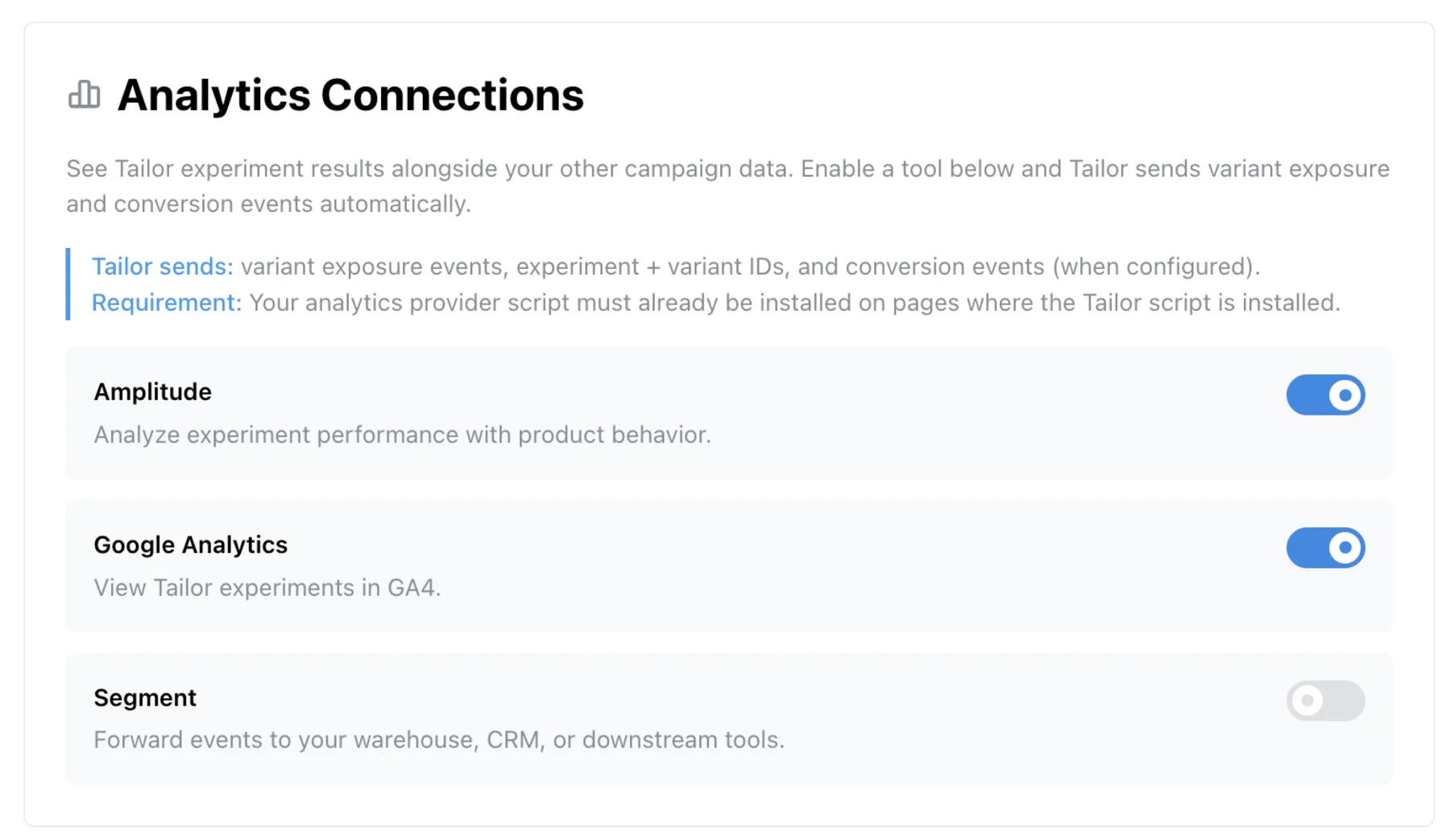
- The problem
- Your data team joins everything in the warehouse. A testing tool that keeps its results in its own dashboard never makes it into that join.
- What this covers
- How Tailor sends through analytics.js, the exact event and properties, and what to do with them downstream.
Teams running Tailor






The gap
Experiment results that never reach the warehouse
A lift number inside a testing dashboard is fine for the person running the test. The analyst who has to tie variants to trials, pipeline and revenue three weeks later needs exposure in the warehouse, next to everything else.
If your stack runs through Segment, the fix is to treat variant exposure as one more event on the source. Then it lands where your other events land, and you join it to conversions with the identity model you already use.
How it works
Switch on Segment in Analytics Connections
In Tailor, open Settings, Analytics and switch on Segment under Analytics Connections. From then on, every page view where a visitor is in an experiment produces an analytics.track('tailor_experiment', ...) call through the Segment snippet already on your page.
Teams that want a different event name or shape use the manual callback instead. Set analyticsProvider: 'segment' in Tailor.init and write the track call yourself in experimentInitCallback. The analytics events docs have the full snippet.
Nothing is sent server to server. Tailor never holds a Segment write key, and no new source is created.
Data flow
What gets sent
The event carries four properties:
- experimentId
- The unique ID of the Tailor experiment the visitor was bucketed into.
- experimentGroup
- Either control or treatment. This is the property you break down conversions by in any downstream tool.
- rampStage
- in_experiment while traffic is split, fully_ramped once the winner is serving to everyone. Lets you exclude post-ramp traffic from lift calculations.
- rampPercentage
- The share of traffic in the experiment, 0 to 100.
Segment attaches its usual context on top: anonymousId, userId if identified, page, campaign parameters. That is what makes the warehouse join possible without any extra work from Tailor.
See what Tailor would test on your site
Then read the measure to pipeline guide for the downstream join.
Downstream
What teams do with it
- Warehouse joins
- With Segment landing tailor_experiment in Snowflake, BigQuery or Redshift, you join variant exposure to signups, trials and closed revenue by anonymousId or userId, with no export from Tailor.
- Product analytics without double instrumentation
- Segment forwards the same event to Amplitude or Mixpanel. You do not need the separate Amplitude connection in Tailor if Segment already feeds it.
- Audiences and lifecycle messaging
- Engage or your CDP can build audiences on experimentGroup, so a visitor who saw the treatment hero gets a nurture sequence that matches it.
- Attribution tools
- Where your attribution tool receives these events, you can configure reports to compare outcomes by experimentId and experimentGroup alongside campaign and channel.
Prerequisites
Before you start
- A Segment source with analytics.js installed on every page where Tailor runs. Tailor calls window.analytics, so the snippet has to be on the page first.
- Tailor installed on your site. The Segment connection fires from the Tailor script, so both have to be running.
- If you use Protocols, add tailor_experiment and its four properties to the tracking plan before enabling the toggle.
- If analytics.js loads behind a consent gate, confirm which consent category it sits in and verify delivery with your real consent and script-loading order. A visitor who never consents never produces an event.
Troubleshooting
Common issues
- No events arriving at all
- Open the browser console on a page with an active experiment and type window.analytics. If it is undefined, the Segment snippet is not on that page or has not loaded yet. Tailor cannot send through an instance that does not exist.
- Events appear in the Segment debugger but not in a destination
- The destination is filtering it. Check the destination's event filters and, if you use Protocols, whether tailor_experiment is blocked as an unplanned event.
- Several events per visitor
- Tailor fires on every page view where the experiment is active. For one row per visitor, keep the first exposure per anonymousId and experimentId in the warehouse. Avoid storing experimentGroup as a plain user trait: it loses which experiment it belongs to and gets overwritten by the next test.
- Different write keys per environment
- Staging and production usually have separate Segment sources. Confirm which source the page you are testing writes to before deciding events are missing.
QA
Verify events are flowing
- 1
Open a page with a live Tailor experiment and match its targeting rules.
- 2
In Segment, open the source and go to Debugger. Filter by tailor_experiment.
- 3
Open the event and confirm experimentId, experimentGroup, rampStage and rampPercentage are present.
- 4
Open one connected destination and confirm the same event arrived there.
The Segment debugger shows events within seconds. Destinations can take minutes, and warehouse syncs run on the schedule you set for that destination.
FAQ
Frequently asked questions
No. Tailor calls the Segment analytics.js instance that is already running on your page. No write key is shared with Tailor and no server-side connection is created.
The destinations on the source where your Segment snippet lives that are set up to receive it. Tailor sends one track call, and Segment routes it the way that source already routes other events, subject to each destination's filters.
Not for the default setup. Toggle Segment on under Settings, Analytics, Analytics Connections and Tailor starts sending. The manual callback is only for teams that want to rename the event or reshape its properties.
tailor_experiment by default, with experimentId, experimentGroup, rampStage and rampPercentage as properties. You can rename it in the manual callback if your tracking plan uses a different convention.
It can, if your plan blocks unplanned events. Add tailor_experiment and its four properties to the plan before switching the toggle on, then confirm in the Segment debugger and one destination that the event is accepted.
Put variant exposure next to the rest of your data.
Connect Tailor to Segment and your warehouse sees which page each visitor got.