
Integration · Amplitude
See experiment results where your product team already looks.
Product-led growth teams live in Amplitude. When landing page experiments run in a separate tool with a separate dashboard, results get ignored. Tailor can fire experiment events to Amplitude so you can build funnels, track conversions, and measure downstream impact alongside your existing product analytics.
Last updated March 1, 2026
 Tailor AI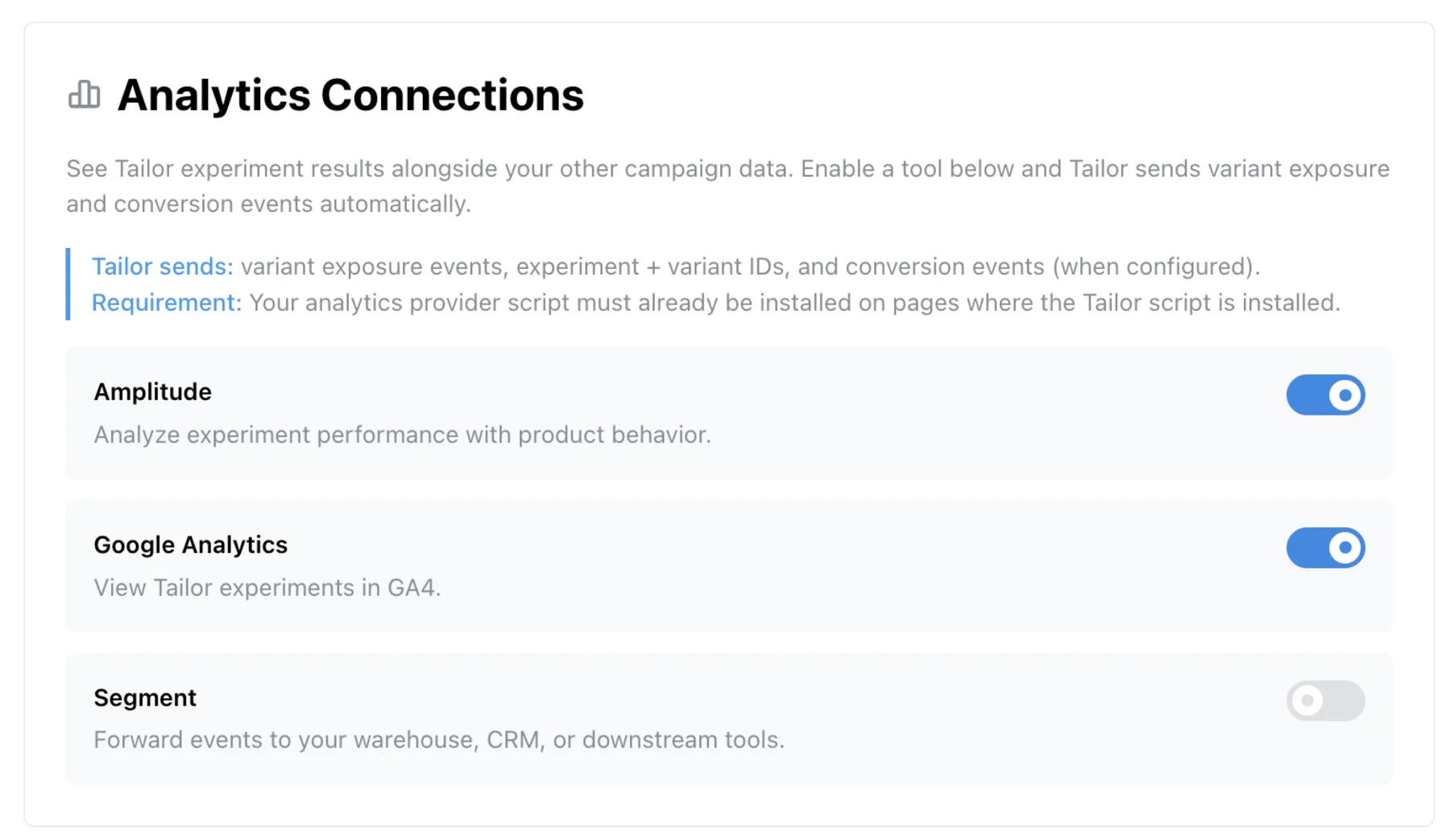
- The problem
- Send experiment results to the Amplitude dashboards your team uses.
- What this covers
- How experiment events flow to Amplitude, what data gets tracked, and practical dashboard patterns for PLG teams.
Teams running Tailor






The gap
PLG teams already have a dashboard in Amplitude
Product-led growth teams track everything in Amplitude: signup funnels, activation events, retention cohorts, revenue attribution. Adding a separate dashboard for landing page experiments creates friction that kills adoption. The person who runs the experiment checks the testing tool. Their manager checks Amplitude. The VP who approves next quarter’s budget checks Amplitude.
When experiment data lives in Amplitude, you can build funnels from ad click to landing page variant to signup to activation to revenue. That is the full picture.
Growth teams describe the same frustration in different words:
It needs to show up in their Amplitude dashboard because that's where their boss is looking.
Tell me what to do. I don't want to have to figure out what the data means, just tell me what action to take.
Amplitude is such a simple tool.
I have no idea how marketers do this. I feel like I'm struggling as a computer scientist.
There's an entire guy whose job is just writing Python scripts to pipe data from Google Ads into Snowflake.
The optimization tool might be producing real lift. But if the results do not appear where your stakeholders are already looking, that lift is invisible. And invisible lift does not get budget renewed.
How it works
How experiment data reaches Amplitude
Tailor pushes a tailor_experiment event to the dataLayer on each page where an experiment is active. The event includes the experiment ID, variant group (control or treatment), ramp stage, and ramp percentage. Your team forwards this to Amplitude via GTM or a short script that calls amplitude.track() with these values as event properties.
Tailor fires events when:
- A visitor is assigned to an experiment (fires tailor_experiment with experimentId and experimentGroup)
- The experiment variant is rendered on the page
- A conversion goal is triggered (form submit, CTA click, or custom event you define)
Once forwarded, events carry experiment context as Amplitude event properties. They work with funnels, cohorts, and segmentation tools out of the box.
"The challenge isn’t always whether we can get the measurement, but interpretation, like what do we do next with the numbers."
When experiment data lives in Amplitude alongside product events, your team can interpret results in a context they already understand.
Data flow
What gets tracked in Amplitude
Here is a breakdown of the data that flows from Tailor into your Amplitude instance:
- Experiment ID and variant label
- Sent as event properties or user properties so you can filter and segment by experiment in any Amplitude chart.
- Conversion events with experiment attribution
- Each conversion carries the experiment context, so you can attribute conversions to specific variants in your existing funnels.
- Page-level engagement metrics by variant
- Standard engagement events flow with experiment properties attached, enabling variant-level analysis.
- Revenue events (if configured)
- When you track revenue in Amplitude, experiment attribution carries through so you can measure revenue impact per variant.
This lets you build Amplitude funnels filtered by experiment variant to see the full conversion journey, from landing page to signup to activation to revenue.
Where to look
Use Tailor's dashboard, Amplitude, or both
Tailor has its own analytics dashboard that shows experiment results in real time: traffic per variant, conversion rates, and statistical significance. For quick experiment reads, this is often enough.
The Amplitude integration is for teams that need experiment data alongside product analytics. Common reasons: your growth team already builds funnels in Amplitude, you want to see how landing page variants affect activation and retention, or your weekly product review happens in Amplitude.
You can also set conversion goals in Tailor that reference events already tracked in Amplitude. If you track “signup_completed” in Amplitude, you can select that as Tailor’s experiment goal. Tailor measures lift against that event without duplicating tracking code. See the conversion goals docs for setup details.
See experiment data in your Amplitude dashboard
Read the analytics integration setup docs.
Dashboard patterns
How PLG teams use this
Patterns for product-led growth teams that want experiment data in Amplitude.
- Conversion funnel by variant
- Filter your existing signup to activation to revenue funnel by experiment variant to see which landing page changes actually move the funnel.
- Segment analysis
- Compare experiment performance across user segments (company size, industry, source). Amplitude's segmentation tools make this straightforward when experiment properties are attached to events.
- Retention impact
- Do landing page changes affect 7-day or 30-day retention? Amplitude's retention charts answer this when filtered by experiment variant.
- Event reconciliation
- When Tailor introduces new CTAs, those buttons may not fire your existing Amplitude event listeners. Make sure new CTA elements are instrumented so they appear in your funnels.
- Reducing manual data piping
- Having experiment data flow directly to Amplitude eliminates the need to manually export, transform, and load results from a separate testing tool into your analytics stack.
"We had a whole spreadsheet workflow just to match experiment results back to what Amplitude was showing."
Having experiment data flow directly to Amplitude eliminates that manual reconciliation.
Prerequisites
Before you start
Make sure you have the following to send Tailor experiment data to Amplitude:
- An Amplitude project with admin or manager access. You need permission to view events and manage event properties.
- The Amplitude SDK already installed and initialized on your site. Tailor sends events through Amplitude's existing SDK instance. If Amplitude is not yet on your site, install it first.
- Tailor installed on your site. The Amplitude integration fires events from the Tailor script, so both Tailor and the Amplitude SDK must be running.
- Amplitude SDK initialization must complete before Tailor fires events. If you defer Amplitude initialization (for example, after cookie consent), Tailor events will queue and send once the SDK is ready.
No Amplitude API keys are shared with Tailor. Events are sent through the Amplitude SDK that is already running on your site.
Troubleshooting
Common issues
- Amplitude SDK not initialized when Tailor fires events
- Tailor tries to send events through the Amplitude SDK on the page. If Amplitude has not initialized yet (for example, because it waits for cookie consent or loads lazily), events may be dropped. Make sure the Amplitude SDK initializes before or at the same time as Tailor. If you defer Amplitude behind a consent gate, Tailor events will queue until the SDK is ready.
- Events appearing in wrong Amplitude project (dev vs production)
- If your site uses different Amplitude API keys for development and production environments, make sure you are checking the correct Amplitude project. Tailor fires events through whichever Amplitude instance is on the page. Verify by checking the Amplitude API key in your browser's network requests.
- Event deduplication
- If the same user sees the same experiment variant across multiple page views, Tailor fires an event each time. Amplitude may deduplicate these based on your project's event ingestion settings. If you expect one event per session, use Amplitude's user property approach (set experiment variant as a user property) rather than relying on event-level deduplication.
- New CTA elements missing click tracking
- When Tailor adds or modifies a CTA button, the new element may not have your existing Amplitude click-tracking listeners attached. Your analytics team should verify that new interactive elements created by Tailor experiments are instrumented for click tracking in Amplitude.
- User identity mismatch between Tailor and Amplitude
- Tailor identifies visitors using its own session tracking. Amplitude uses its own device ID and user ID system. These are separate identity graphs. When analyzing experiment data in Amplitude, use Amplitude's user identity as the source of truth and treat Tailor's experiment properties as event-level metadata.
QA
Verify experiment data is flowing to Amplitude
Follow these steps to confirm that Tailor experiment events are reaching your Amplitude project:
- 1
Open your site in Chrome and trigger an active Tailor experiment (visit a page with targeting rules you match).
- 2
Open Amplitude and go to User Lookup. Search for your device ID or user ID.
- 3
Find your current session in the event stream. Look for Tailor experiment events (e.g., tailor_experiment_view or your configured event name).
- 4
Click into the event to verify the event properties include experiment ID and variant label.
- 5
Open the Event Segmentation chart in Amplitude and filter by the Tailor experiment event name. You should see events from your test session.
- 6
If you set experiment variant as a user property, go to User Lookup and verify the property is attached to your user profile.
Amplitude events typically appear in User Lookup within seconds. If you do not see events, check the browser console for Amplitude SDK initialization errors and verify that the SDK is loaded before Tailor fires its events.
FAQ
Frequently asked questions
Tailor fires events with experiment ID and variant as event properties. These events appear in your Amplitude event stream and can be used in funnels, cohorts, and dashboards like any other Amplitude event.
Yes. Use the experiment variant as a filter or breakdown in your existing Amplitude funnels to see how different landing page variants affect downstream conversion.
Tailor manages its own experiments and sends result data to Amplitude. The events can coexist with Amplitude Experiment data in the same dashboards.
When Tailor adds or modifies CTA buttons, those elements may not have your existing Amplitude event listeners attached. Coordinate with your analytics team to ensure new interactive elements are instrumented.
Minor discrepancies are normal due to consent gating, sampling, and attribution windows. Use Amplitude as the shared source of truth for cross-team reporting, and Tailor's built-in analytics for experiment-level detail.
Add experiment data to your Amplitude reports.
Connect Tailor to Amplitude and see variant performance where your product team already reports.