
Guide · Agentic Marketing
Build your own agentic marketing loops with Tailor
Some teams want Tailor to run the whole post-click loop for them. Others are building their own agents and want Tailor as the execution layer those agents snap onto. This guide is for the second group: what a working loop looks like, which Tailor MCP tools are the building blocks, and three loop recipes teams run in production today.
Last updated July 28, 2026
 Tailor AI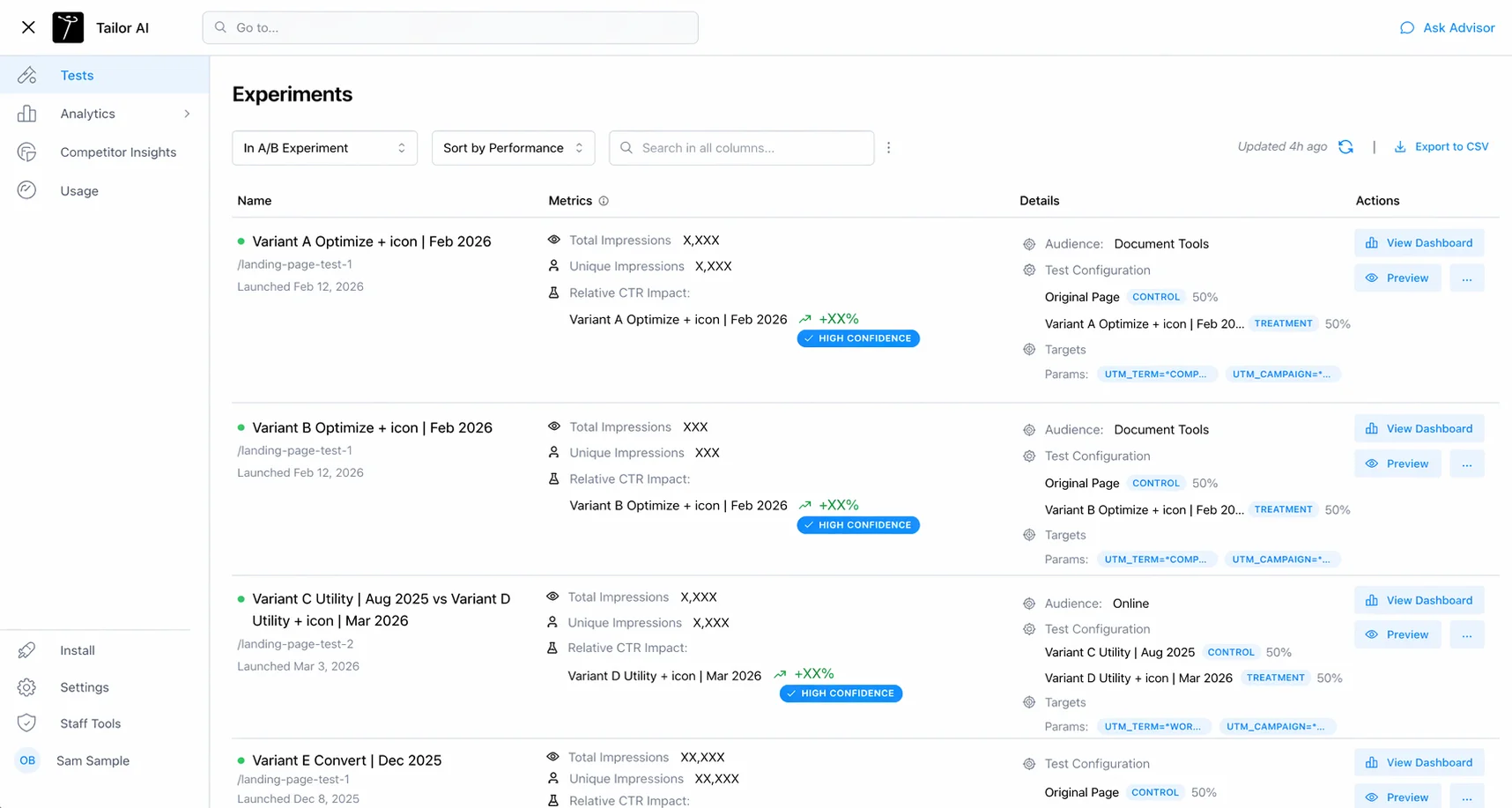
- Who this is for
- Growth engineers and technical marketers wiring agents (Claude, Claude Code, or an internal agent platform) to their website testing program.
- What you'll get
- The loop anatomy, the tool blocks, three production recipes, wiring lessons from early teams, and a getting-started checklist.
Teams running Tailor






The shape
Every loop has the same six steps
This guide uses a six-step workflow with human approval before launch.
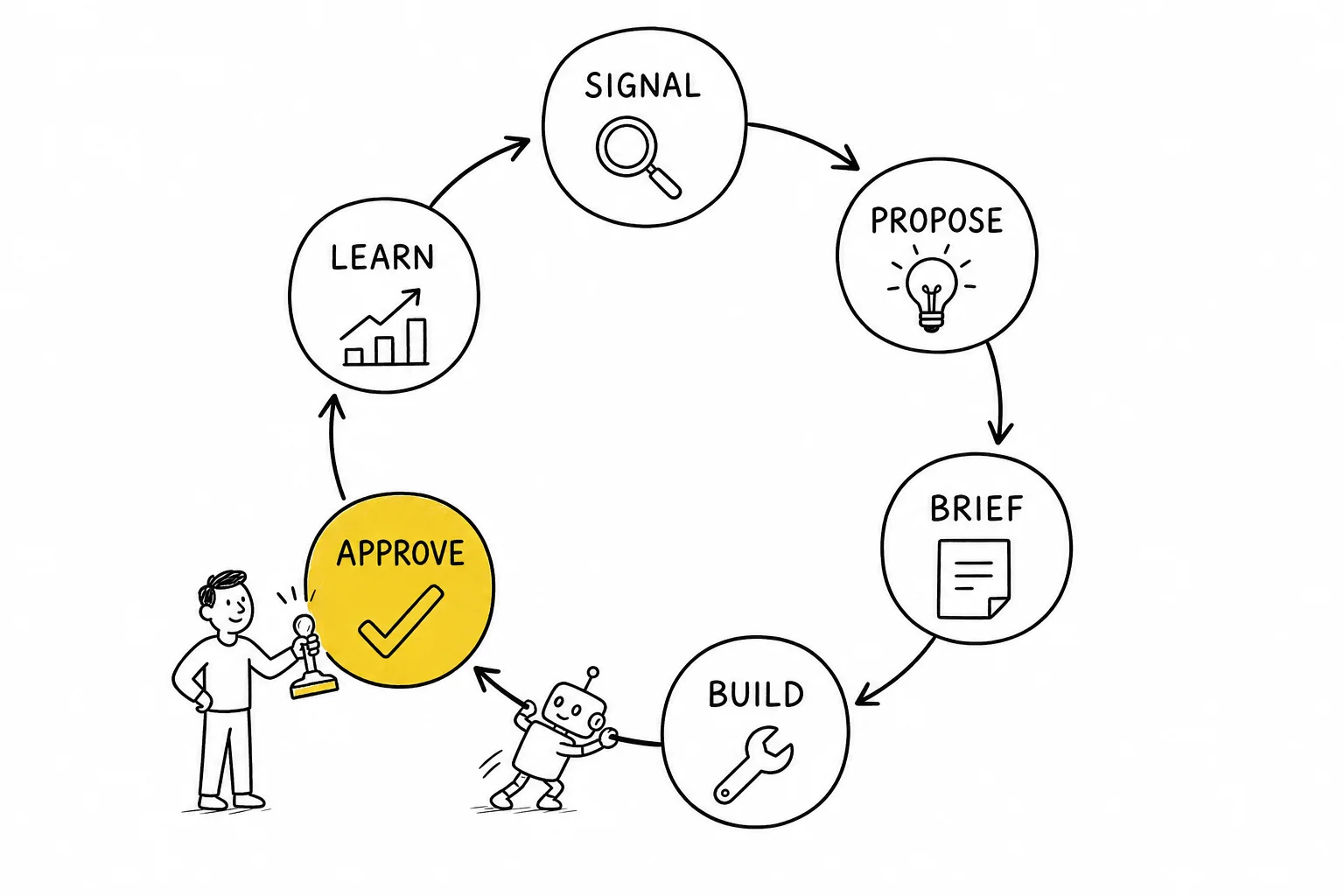
- 1 · Signal
- Something says a page is worth attention: weak conversion on high traffic, a new campaign, a UTM with no matched page.
- 2 · Propose
- The agent turns the signal into a concrete test: headline, subhead, CTA, targeting, and a written hypothesis.
- 3 · Brief
- The proposal becomes a tracked record where your team already works: a task, a doc, a thread.
- 4 · Build
- The agent constructs the variant in Tailor through MCP and posts a preview link.
- 5 · Approve & launch
- A human reviews the preview and ships it, or the agent ships within rules you set.
- 6 · Learn
- Results come back, keep/kill/iterate decisions get made, and the learning feeds the next round of proposals.
Step 4 is where most home-built loops die: the agent has a great plan and no safe way to touch the website. That is the step Tailor exists for. The rest of this guide assumes Tailor handles build, preview, launch, and measurement, and your agents handle the thinking around it.
The blocks
The MCP tools, grouped like Lego
The Tailor MCP exposes the same tools that power Tailor’s own in-app agent. For loop-building, think of them in three groups:
- Read blocks: what's happening
- Traffic and landing page performance, active experiments and their results, page content and clickable elements, visitor enrichment, and downstream conversion data. These feed the Signal and Learn steps.
- Write blocks: change the site
- Create experiments and variants (copy, images, CTAs, sections), set targeting on campaign, keyword, UTM (wildcard and OR matching), source, device, and geo, upload images, modify layout, and inject scripts. These are the Build step.
- Safety blocks: keep humans in charge
- Preview links for every staged change, launch and pause controls that can be reserved for humans, and traffic ramping so new variants start small. These make the Approve step real instead of theater.
Setup is in the MCP docs. The point of the grouping: a loop is just read blocks feeding write blocks with safety blocks in between. Every recipe below is one arrangement of the same pieces.
Recipe 1
The morning proposal loop
Run by the growth team at a large productivity software company. Cadence: daily or a few times a week.
- 1
Agent pulls signal: query your analytics or warehouse for high-traffic pages with weak conversion, and read active experiments from Tailor so it doesn't propose duplicates.
- 2
Agent proposes three tests, each with headline, subhead, CTA, and a hypothesis. Cap it at three; review fatigue kills loops faster than bad ideas do.
- 3
You correct the context the data misses. Some pages convert poorly for known reasons (cold video traffic, brand-curious visitors). Tell the agent why, once, and have it remember. This is training, and it compounds.
- 4
Agent writes a brief per test into your task tool. The task is the record: brief, approval, status, results.
- 5
On your green light, the agent builds the experiment in Tailor via MCP and posts the preview link to the task.
- 6
You review the preview, tweak what reads wrong, and press launch.
Agents draft tests for marketers to review and approve.
Recipe 2
The long-tail keyword loop
For teams bidding on dozens to thousands of terms. One real run: 22 targeted page variants built from a single spreadsheet for a file-conversion software company.
- 1
Start from the term list you already bid on: keyword, matching UTM values, and the message each term deserves. A spreadsheet is fine. Highest volume first.
- 2
Agent builds one page variant per theme through the MCP, using UTM targeting with wildcard and OR matching so one variant can serve several related terms.
- 3
Enforce a shared name prefix per batch (for example [convert] or [q3-longtail]) in the agent's instructions. Tailor groups prefixed experiments in reporting, so the batch reads as one program, not fifty orphans.
- 4
Preview a sample, not every variant. Spot-check five of fifty; the structure is identical and the copy is what varies.
- 5
Launch, let traffic accumulate, and have the agent read results per variant on a weekly cadence: keep, kill, or iterate.
This is the loop where agents earn their keep. Tailoring one page in five minutes is table stakes; keeping five hundred ad-to-page matches fresh is not a human-scale job.
Recipe 3
The learning loop
The loop that makes the other two smarter. Cadence: weekly.
- 1
Agent reads results for every experiment in flight: exposure counts, conversion by variant, and downstream signal where you track it.
- 2
Agent drafts a keep/kill/iterate call per experiment, with one sentence of reasoning. You confirm or override; overrides are the interesting part.
- 3
Every override becomes an instruction. "We killed this even though it won because the tone is off-brand" goes into the agent's guidance, and the next proposals inherit it.
- 4
Wins graduate: a winning variant either ships to 100% or becomes the new control for the next round.
- 5
The learnings summary feeds Recipe 1's next proposal run. That closing of the loop is what separates a testing program from a pile of tests.
Want to see a live loop before building yours?
We’ll walk through a production setup on your actual pages.
Field notes
Wiring lessons from early teams
Things the first wave of loop-builders learned so you don’t have to.
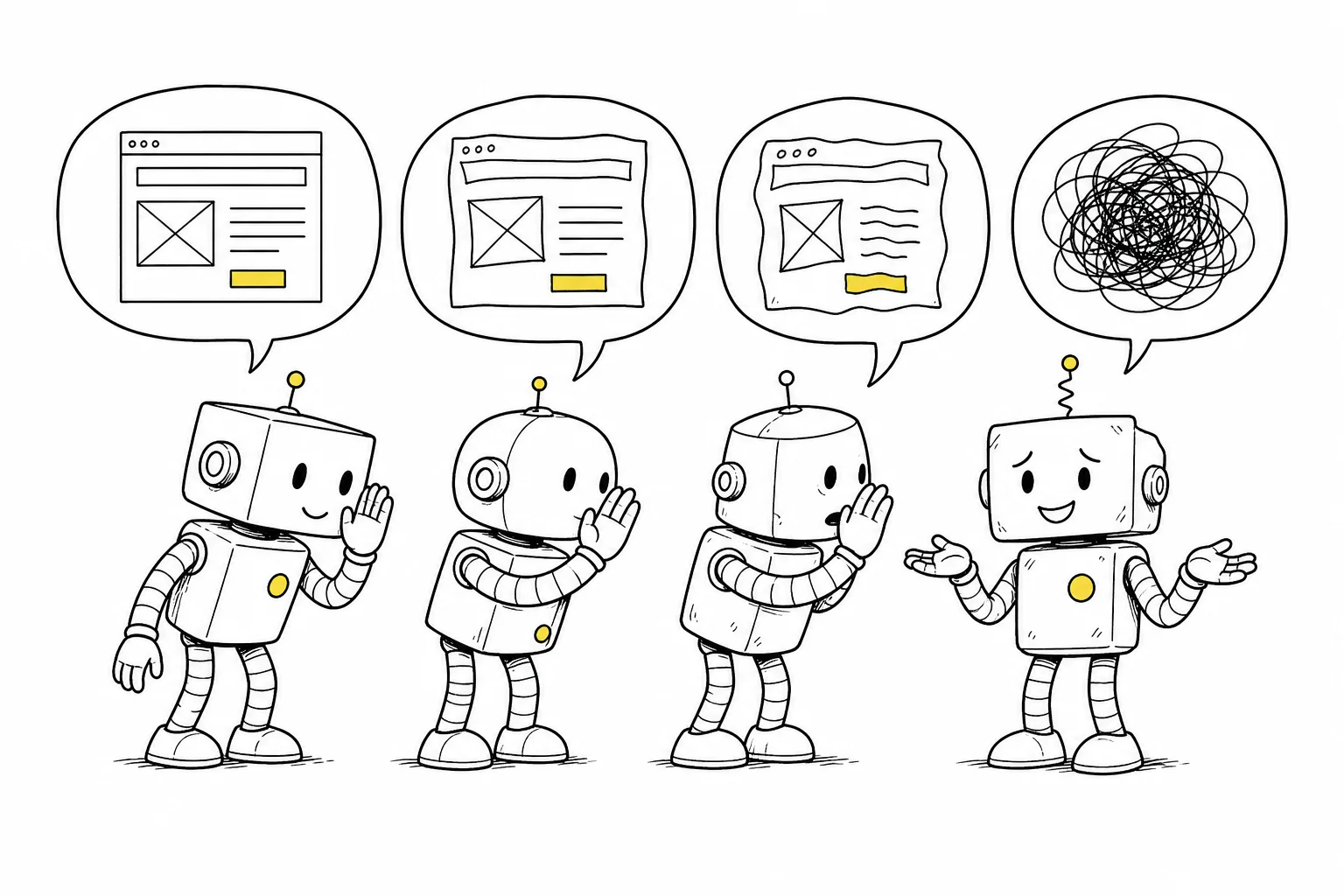
- Connect your agent straight to the Tailor MCP
- Having your agent talk to another agent that talks to Tailor becomes a game of telephone; instructions lose detail at every hop. Direct tool calls keep intent intact. Save agent-to-agent handoffs for orchestration, not execution.
- Consolidate on one agent per loop
- When three people each build a similar agent, you get three drifting sets of instructions and no shared learning. Pick one, share it, and improve it in place.
- Keep your warehouse as the reporting layer if you have one
- Tailor fires an exposure event (experiment ID, anonymous ID, variation ID) you can route through your CDP and join with server-side conversions. Tailor executes; your warehouse reports; your workspace orchestrates. No forced center of the universe.
- Copy is the reliable core; structure needs a human pass
- Agents ship copy tests all day. Net-new sections and creative layout work, especially through a CMS MCP with your component library, get to good but benefit from human review before launch.
- Start human-gated, loosen deliberately
- Every change stages with a preview. Let the agent do everything except launch until you've watched a few cycles, then open low-risk copy tests first. The gate is policy you write, not product limitation.
Start here
Getting started checklist
- 1
Install Tailor on your site (one script tag) and confirm the dashboard sees traffic.
- 2
Connect an agent to the Tailor MCP following the setup docs. Claude Code is the fastest first client.
- 3
Write the agent's standing instructions: your brand voice, pages that are off-limits, naming prefix convention, and the launch gate policy.
- 4
Run Recipe 1 once, fully human-gated, end to end. One signal, three proposals, one launch.
- 5
Add the weekly learning loop before you scale volume. Learning discipline early beats test volume early.
FAQ
Frequently asked questions
No. Claude or Claude Code connected to the Tailor MCP is enough for every recipe in this guide. Teams with an internal agent platform get the extra benefit of wiring the loop into their existing task and approval flows, but the loop itself only needs one MCP-capable agent.
Start with everything except launch. The agent proposes, briefs, builds, and links a preview; a human presses launch. After a few clean cycles, most teams let agents ship low-risk copy tests on their own and keep layout, pricing, and offer changes gated.
Wherever you want. Tailor fires an exposure event with experiment ID, anonymous ID, and variation ID that you can route through your CDP into the warehouse and join with server-side conversions. Tailor's own analytics work out of the box if you'd rather not build that.
Naming discipline, enforced by the agent itself. Put a batch prefix rule in the agent's instructions (for example [q3-longtail]) and Tailor groups those experiments in reporting. Humans forget conventions; agents don't.
Yes. The MCP can build layout changes and inject scripts (popups, reordering a carousel, modifying a third-party widget). Copy is the reliable, ship-daily core; structural changes are worth an extra human pass on the preview.
Set up and review your first agent-driven experiment.
Tailor handles build, preview, launch, and measurement. Your agents handle the thinking. You approve what ships.