
Guide · Personalization
A playbook for campaign-based landing page personalization.
Most personalization advice assumes you have an enterprise team, a data warehouse, and six months to implement. This playbook is for the rest of us: growth and marketing teams who want to adapt landing pages to visitor context using signals you already have (campaign, keyword, source, device, company) without rebuilding your site or hiring a data team.
By Tailor AI team · Last updated March 1, 2026
 Tailor AI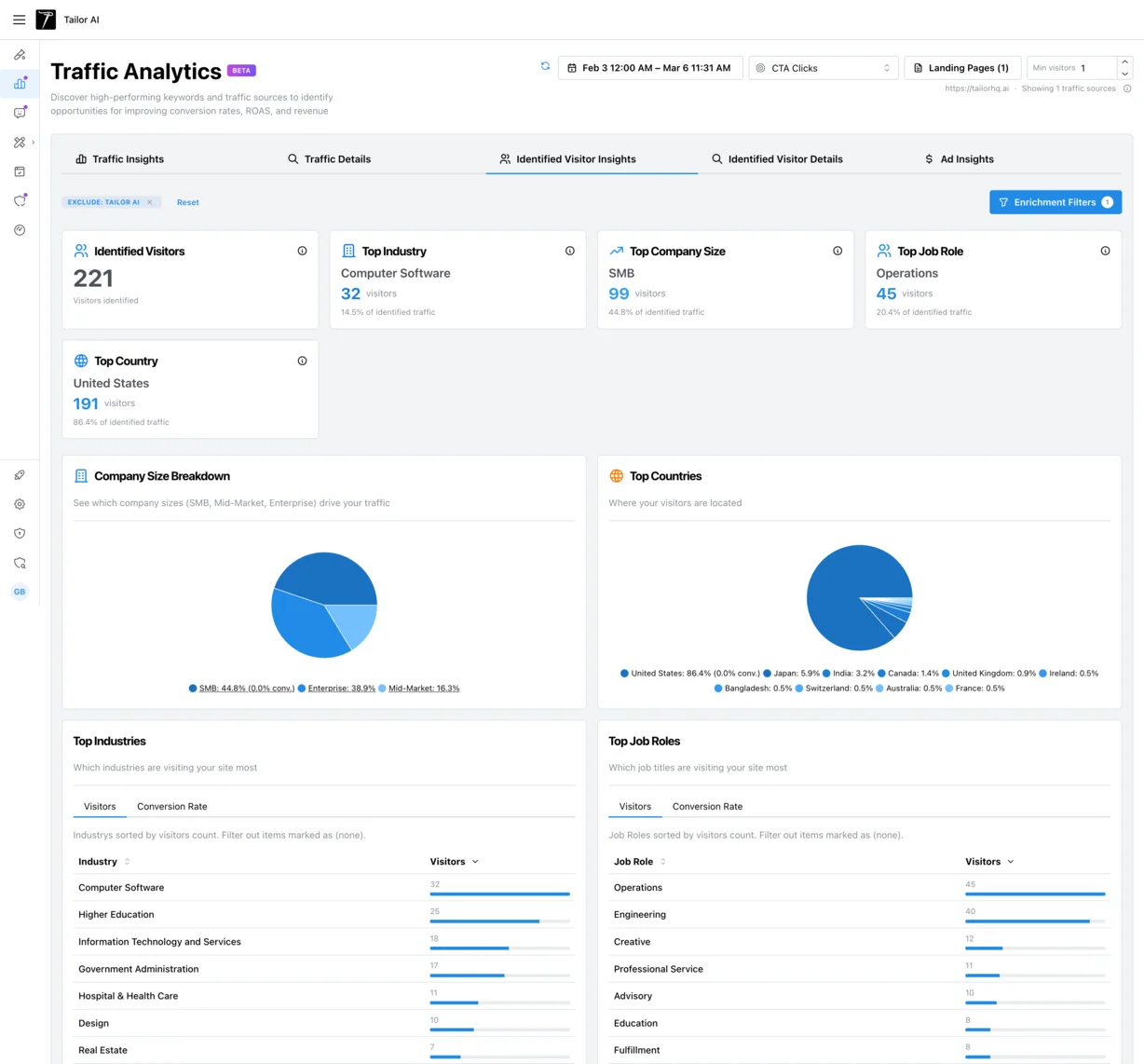
- Who this is for
- Performance marketers and growth teams who want practical, incremental personalization they can launch this week.
- Methodology
- Built from hundreds of conversations with marketing teams. We heard what works, what doesn't, and where teams waste time.
Teams running Tailor






The reality
Why most personalization fails
Most personalization initiatives fail. Not because the concept is wrong, but because teams try to do too much at once. They buy an enterprise platform, plan a six-month roadmap, build complex segment trees, and end up with something nobody maintains and nobody can measure.
"We have found that deep segmentation doesn't really work. Where we sweat the value is more on the incrementality."
That insight came up repeatedly in our conversations with marketing teams. The teams that get results don’t build elaborate segmentation models. They start with one signal, prove it works, and expand from there.
"Messaging is the biggest problem in tech, everybody sucks at messaging."
Meanwhile, the default experience keeps getting worse. Visitors are more skeptical, more distracted, and less willing to convert on a generic page.
"Bounce rates on landing pages are growing, people don't want to fill out form fills."

One team told us their generic marketing approach stopped working after a few years. What used to convert reliably just... didn’t anymore. The market got noisier, competitors got sharper, and a one-size-fits-all page stopped cutting through.
Start personalization with a small set of signals you already collect.
Your starting point
Signals you already have
You don’t need a CDP or data warehouse to start tailoring your pages. Every visitor arrives with context. Here are the signals you can use today, without any new infrastructure.
- Campaign / UTM
- What ad or email brought them here. Match the landing page headline and messaging to the ad promise. This is the single highest-impact adaptation for paid traffic.
- Keyword
- What they searched for (Google Ads). Match the headline to the search intent. If someone searches for "editor," show them editing content, not a generic product overview.
- Source / Medium
- Where they came from (Google, Meta, LinkedIn, email, organic). Adapt the conversion path: higher-intent Google Ads traffic gets a direct CTA, while organic visitors get more education first.
- Device
- Mobile vs. desktop. Simplify for mobile (shorter copy, fewer fields, thumb-friendly CTAs). Some teams see 99% mobile traffic from Meta campaigns.
- Geo
- Country, language, region. Adapt currency symbols, language, or local proof points. Running Spanish ads that point to an English page is leaving money on the table.
- Referrer
- Which blog post, partner, or review site sent them. Continue that narrative on the landing page instead of forcing them to start over.
Test whether matching the page to the ad improves conversion.
"Editing over ideation and creation."
Teams don’t want to build new pages from scratch for every audience. They want to adapt what already exists. That’s the right instinct, and it’s where the fastest wins come from.
The playbook
A four-week plan to prove it works
This is a practical, ordered approach. Each week builds on the last. Don’t skip ahead. Prove one thing works before adding the next.
You can also let Tailor’s agent find the test, build the variant, and launch it. You approve before anything ships. The plan below works either way.
Week 1: Keyword / campaign match
- Pick your top 5 highest-spend keywords or campaigns.
- Adapt the h1 to match the ad promise. If the ad says "project management for remote teams," the page headline should say the same thing.
- Run as an A/B test vs. your generic page.
- Measure conversion rate per keyword, not just overall.
"If the user is searching for editor, we are showing the content connected to editing."
Week 2: Source-based adaptation
- Different CTAs for Google Ads traffic (higher intent, direct CTA) vs. Meta traffic (lower intent, softer ask).
- Different messaging for organic visitors (education-first) vs. paid visitors (conversion-first).
- Test one change at a time so you can isolate the impact.
Week 3: Squeeze page test
- Remove navigation from your paid landing pages.
- Focus on a single conversion action.
- This is one of the most consistently effective patterns we've seen across teams. Visitors from ads already have context. Removing distractions keeps them on task.
Week 4: Proof point matching
- Show industry-relevant case studies or social proof based on the visitor's context.
- If you have enrichment data, use company industry to select the right testimonial. If not, use campaign targeting as a proxy (e.g., your "fintech" ad group shows fintech proof points).
- A fintech company seeing a fintech case study is more compelling than a generic testimonial.
"Once we just find something that works, ramp it up to 100, do it everywhere."
The key is velocity, not perfection. Assume a third of your tests will be positive, a third flat, a third down. Learn and iterate. The compounding effect of consistent testing outperforms any single experiment.
Start with your top 5 keywords
B2B enrichment
Enrichment: an honest assessment
IP-based enrichment identifies the company visiting your site (name, industry, size). It does not identify the individual person. Here’s what you need to know before investing in it.
- Match rates are 25-50%
- Half your traffic (at best) will be identified. The rest stays anonymous. This means your default, un-enriched experience still needs to be good. Enrichment adds a layer on top. It doesn't replace your base page.
- Consent-gated by design
- When integrated with a cookie-banner solution, Tailor runs enrichment only after the visitor gives consent. Contact-level identification is not part of Tailor's enrichment. Plan your enrichment strategy accordingly.
- Costs add up at scale
- Enrichment lookups cost roughly $0.04-0.10 per call. At high traffic volumes, this adds up fast. Many teams use sampling strategies or only enrich traffic from high-value sources.
- Even imperfect data is valuable
- The alternative to 30% match rates is zero visibility. Knowing that 40% of your traffic comes from automotive companies, when your page says nothing about automotive, is an insight you can act on immediately.
"The website deanonymization, we don't do it. We just don't. Well, we should. I want to."
That tension came up often. Teams know they should be using enrichment data. They just don’t want to set up all the infrastructure it takes to hire an enrichment provider, connect it to their site, and build the logic to act on it.
"Marketers don't want to have to set up all the glue that it takes to hire an enrichment company and then connect it up."
Our recommendation: don’t start here. Start with campaign and keyword matching (Week 1 of the playbook). Add enrichment when you’ve proven the approach works and you want company-level targeting for ABM use cases. For a deeper look, see the B2B personalization use case.
Common mistakes
What not to do
These are the patterns we’ve seen waste the most time and budget. Avoid them.
- 1. Don't personalize everything at once
- Start with one signal (keyword or campaign) and prove it works. Expanding to five signals before you've validated one is how personalization projects die.
- 2. Don't build separate pages for every segment
- Adapt one page dynamically instead. We heard this over and over: teams create entirely new pages just to change a headline and an image. That creates maintenance overhead and dilutes your testing velocity.
- 3. Don't ignore the default experience
- Most visitors won't match any personalization rule. Your base page needs to convert on its own. Enrichment has 25-50% match rates. Campaign parameters aren't always present. Design for the unmatched visitor first.
- 4. Don't expect AI to write perfect copy
- Use AI as a starting point, then edit. Visitors can tell when copy is machine-generated, and it erodes trust. The best workflow is AI-assisted drafting with human editing and approval.
- 5. Don't skip measurement
- Always A/B test your adaptations. Without measurement, you're guessing. One team told us they stopped tailoring because they didn't know the lift. The lift might have been significant, but they'll never know.
"Instead of using a tool that could customize the headline, they'll split up a net new page just to have that new headline and maybe a new image."
"We don't know what the lift is, so we don't do it."
Both of these are solvable problems. Dynamic adaptation eliminates the page-sprawl problem. Built-in A/B testing eliminates the measurement problem. For experiment setup, see A/B Testing & Analytics.
FAQ
Frequently asked questions
Enterprise personalization requires a CDP, data warehouse, and dedicated team. This playbook uses signals you already have (UTMs, keywords, device, geo) with a one-line script installation. You can launch your first adaptation in minutes, not months.
No. Start with campaign and keyword matching. You already have those signals. Add enrichment later if you need company-level personalization for ABM use cases.
You need enough traffic to detect a difference. For A/B testing, aim for at least 50 CTA clicks per variant. For very low-traffic pages, use directional testing or focus on pages with more volume.
Some teams associate "personalization" with failed enterprise projects. If your leadership has that baggage, frame it as "message matching" or "audience adaptation" instead. The outcome matters more than the label.
Pick your highest-spend Google Ads keyword. Change the landing page headline to match the keyword intent. Run it as an A/B test for one week. You'll have your first data point.
Start with one keyword, prove it works, then scale
See how Tailor adapts your landing pages to visitor context, on your own site.