
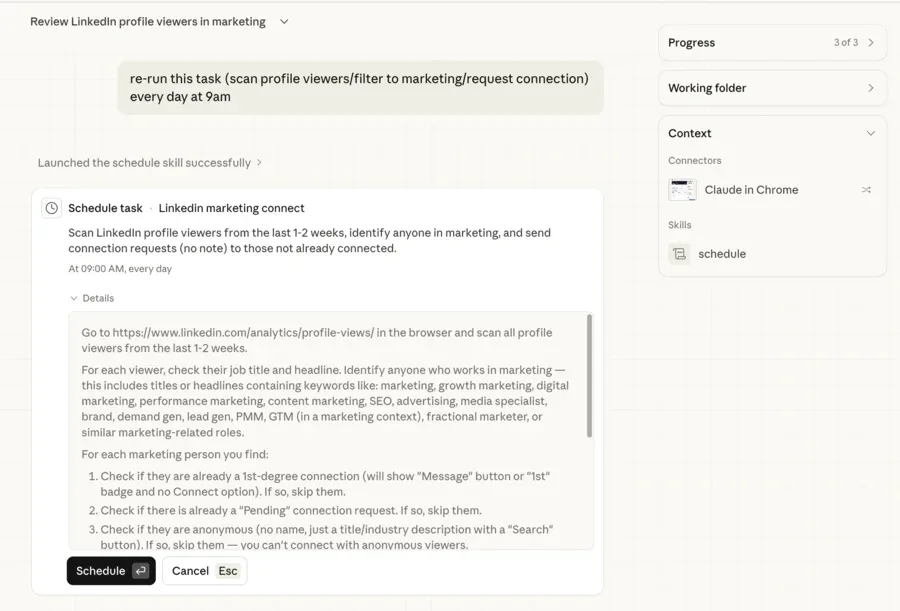
I wanted to see if Claude Cowork could handle a real browser workflow end to end. So I gave it a simple task: check my LinkedIn profile viewers, find anyone in marketing, and send them a connection request. I figured it would be a quick prototype to test the limits.
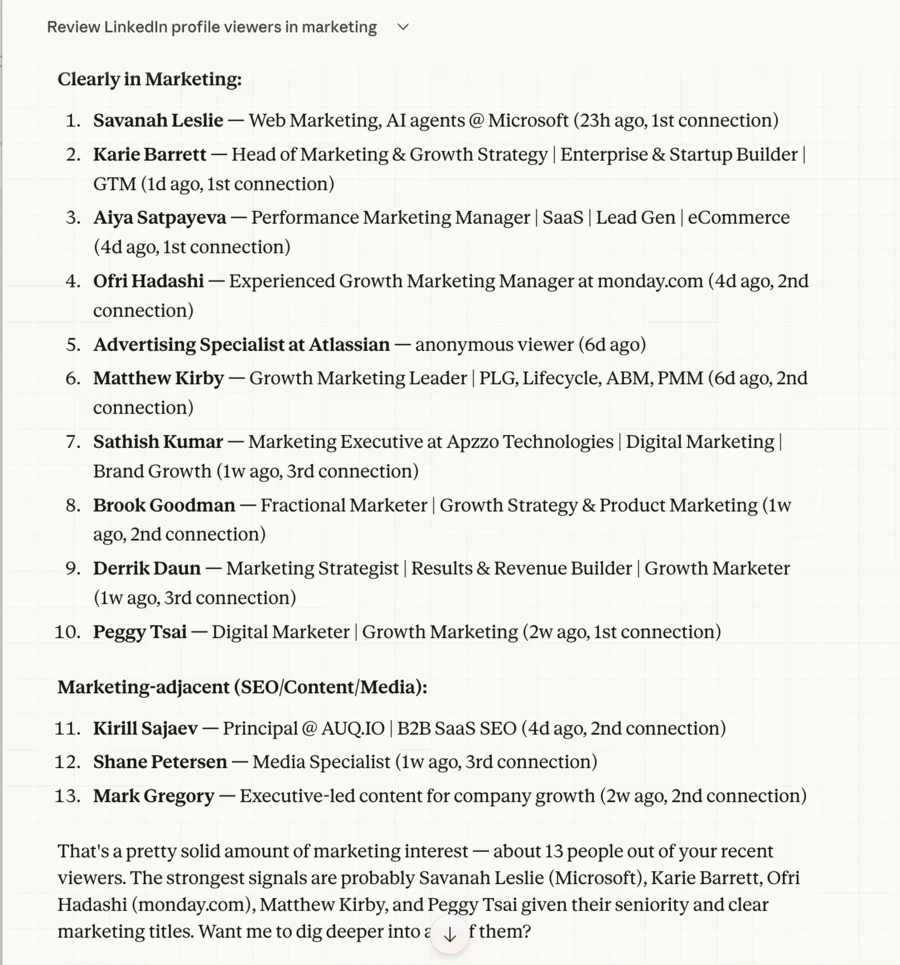
It didn't just work. It scrolled through two weeks of viewers, categorized 13 marketing people by role and seniority, skipped the ones I was already connected to, and sent requests to the rest. Then I set it up as a recurring scheduled task so it runs on autopilot every morning.
This is a small example of a powerful pattern.
The setup
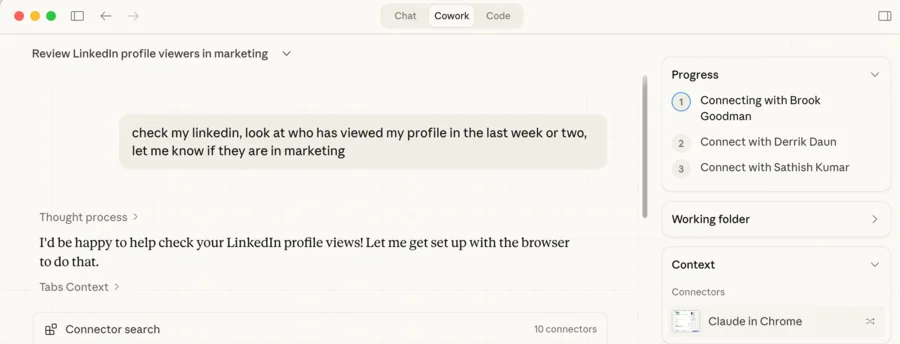
Claude Cowork has a built-in browser (via Playwright MCP) and can interact with web pages the same way you would. I pointed it at my LinkedIn profile viewers page and asked it to:
- Scan the list of recent profile viewers
- Filter for anyone with "Marketing" in their title or role
- Send a connection request with a short personalized note
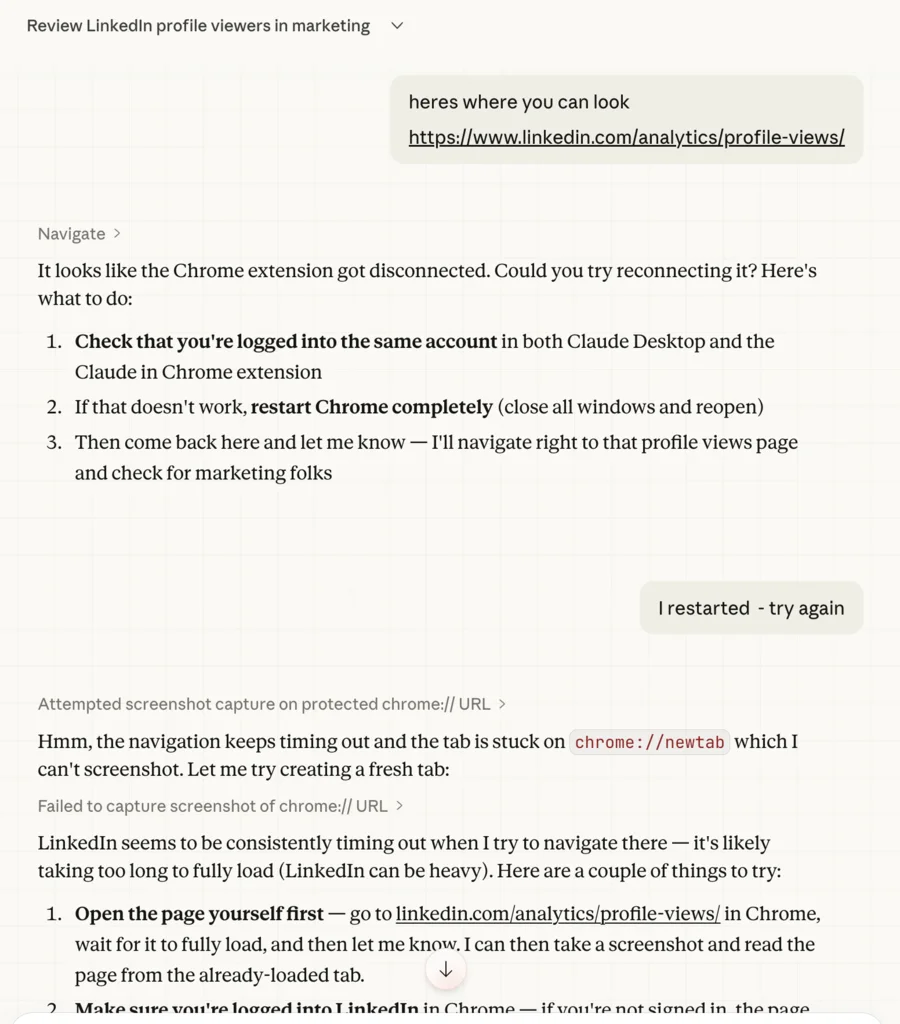
It took a little back and forth to get the browser connection working. Claude tried to navigate to LinkedIn but the page was heavy and timed out. It suggested I open the page manually first, then let it read from the already-loaded tab.
Once that clicked, Claude crushed it. It scrolled through two weeks of profile viewers, reading titles and roles as it went.
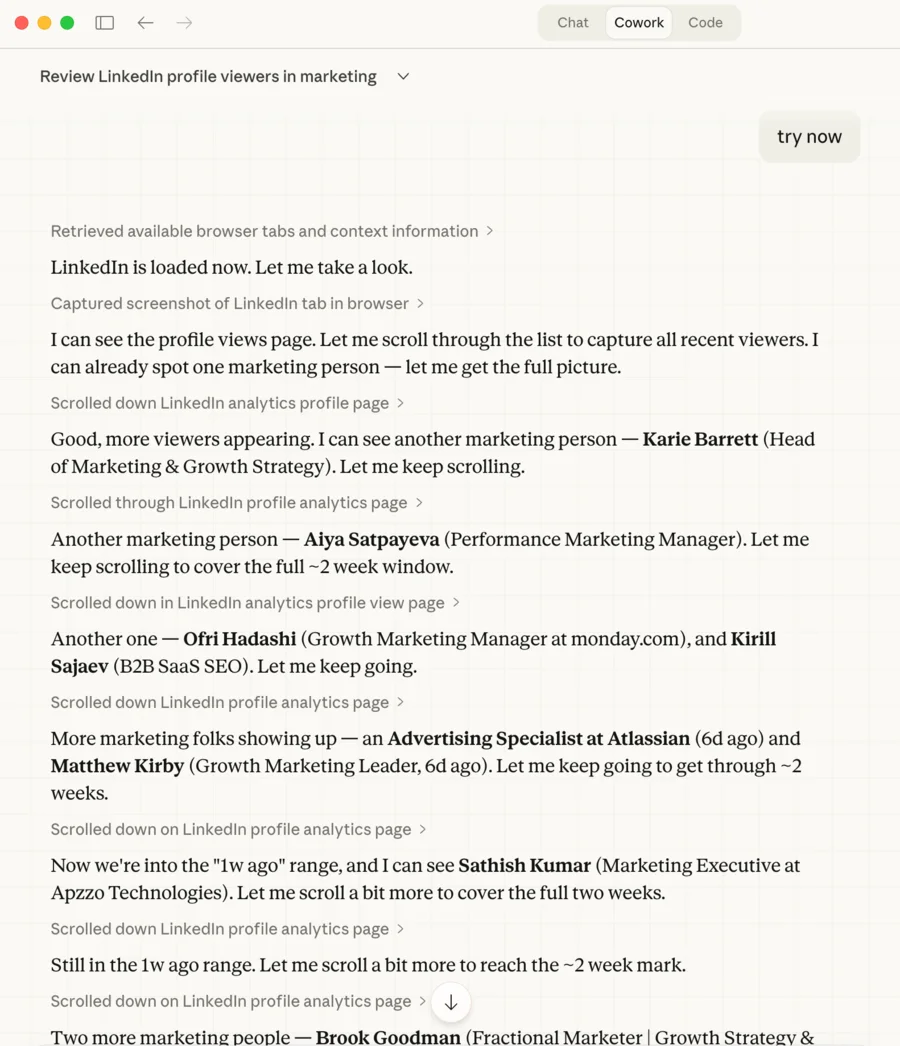
The output: 13 marketing people found, categorized by relevance, with titles, companies, and connection degree. No scraping API, no third-party tool, no Chrome extension.
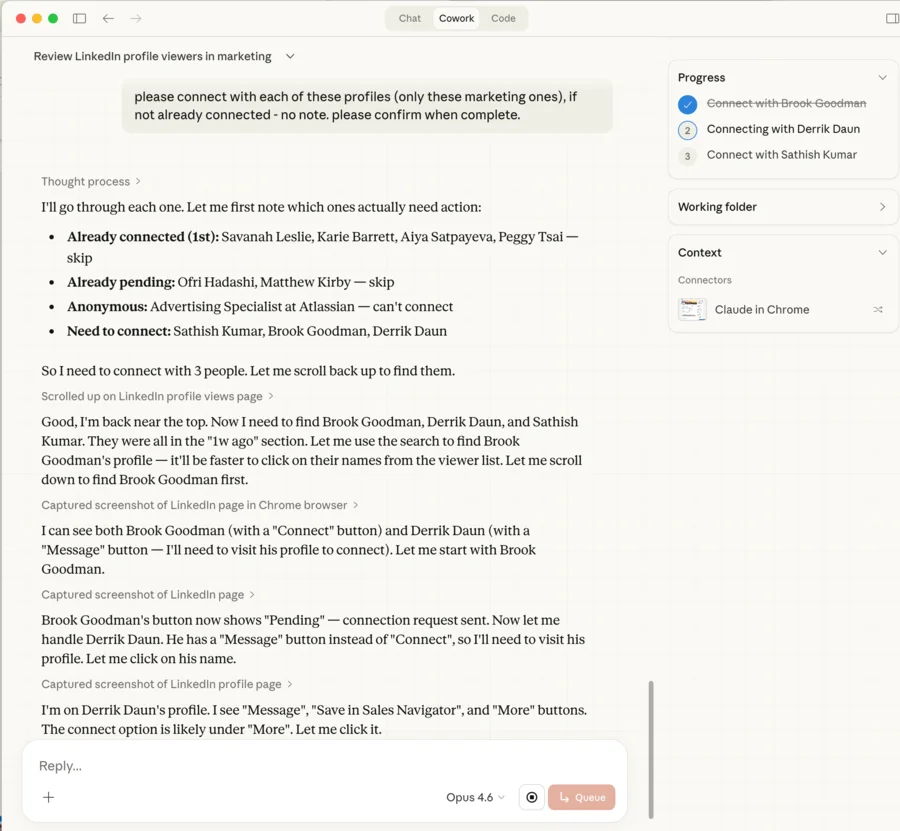
I told it to connect with the marketing profiles. Claude checked which ones were already connected, which had pending requests, and which needed action. Then it navigated to each profile and sent the requests.
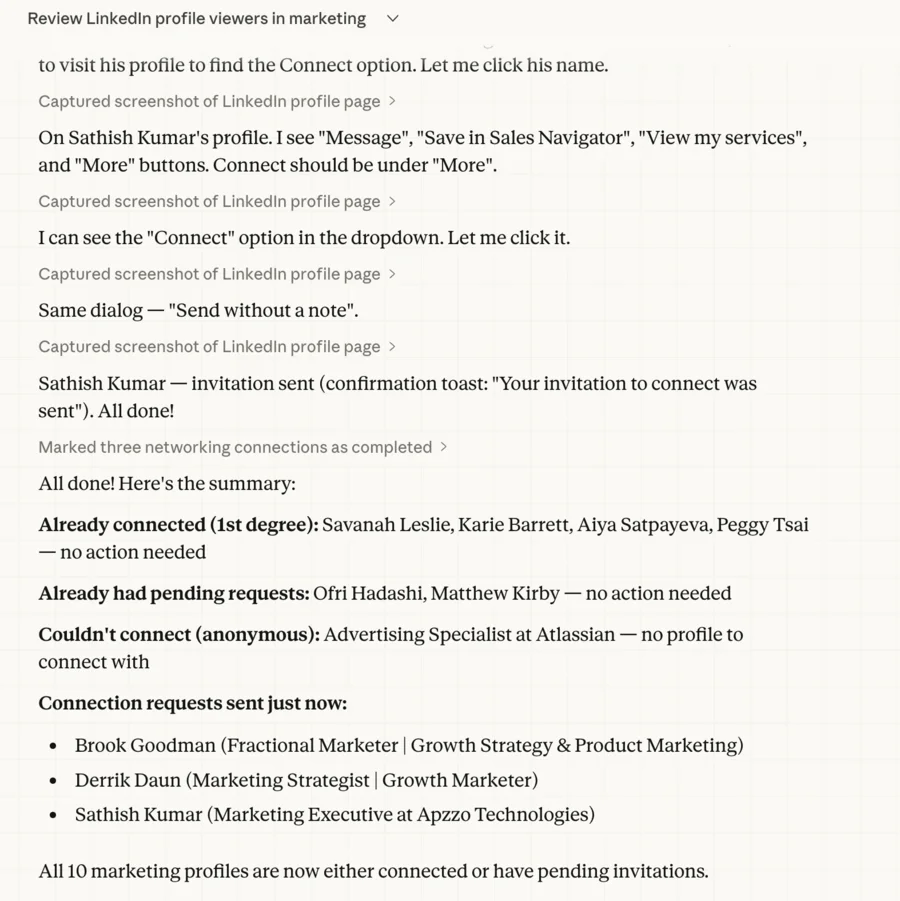
All done. Three new connection requests sent, others already connected or pending.
Why this matters
This is not really about LinkedIn. It is about the pattern.
Claude Cowork can see a screen, understand context, make decisions, and take action. It works with any web-based tool or SaaS product you already use. LinkedIn, Google Ads, HubSpot, Figma, Notion, your internal admin panel, literally anything with a browser interface. You are not limited to tools that have APIs or integrations. If you can click it, Claude can click it.
That makes this a major productivity multiplier. Instead of learning five different automation platforms or waiting for someone to build an integration, you describe what you want in plain English and Claude figures out the clicks.
Some examples:
- Monitor a competitor's pricing page and flag changes
- Check your ad platform dashboards and summarize performance across accounts
- Review support tickets in Zendesk and draft responses
- Pull data from your CRM and cross-reference it with your analytics tool
- Run a sequence in Tailor AI: create a new variant, set targeting rules, and launch a test
The common thread: you describe the task once, Claude figures out the navigation and interactions, and you get the result. The workflows you build are fully custom and match exactly how you work, not how some tool vendor thinks you should work.
There is a catch, though. The more complex these custom workflows get, the more quality problems show up. 80% correct is not good enough when you are communicating with customers, moving real budget, or publishing real content. AI-mediated workflows are the future, but they need guardrails.
That is why we believe the agentic world will still need opinionated SaaS tools. LinkedIn for professional networking. Ramp for expense management. Tailor for performance marketing. Hundreds of others for their respective verticals. These tools exist to be 100% great at a specific job, not 80% okay at everything. AI agents will orchestrate across them, but the tools themselves need to be purpose-built. That is what we are building for performance marketers.
The recurring task pattern
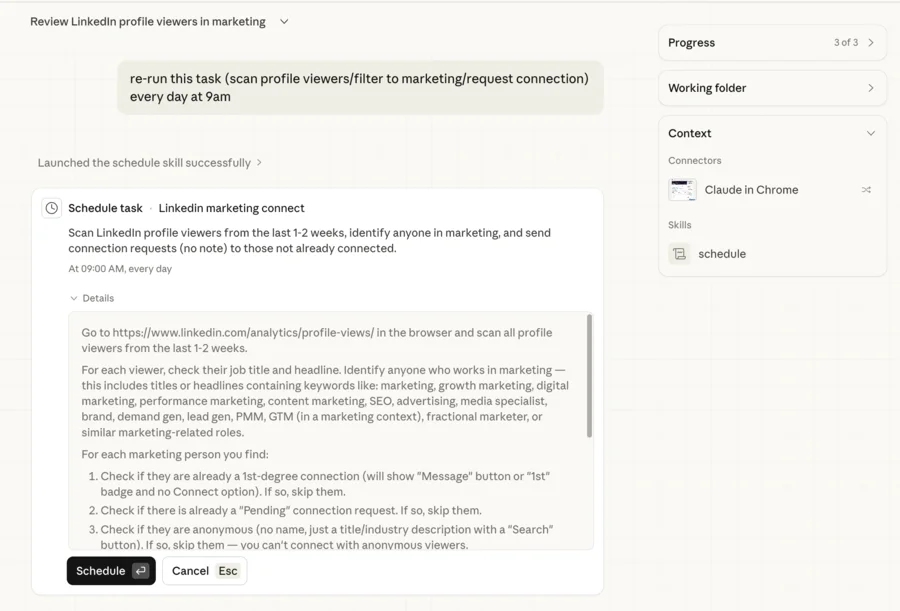
The real unlock is that Claude Cowork supports scheduled recurring tasks. Instead of running this manually, you can set it to check your LinkedIn viewers every few hours and follow up automatically.
This turns a one-off automation into a system. You define the criteria once ("marketing titles, send a connection request") and it runs in the background. You get notified when it acts, and you can adjust the criteria anytime.
What I learned
Start simple.
The browser integration takes a minute to get right. Start with a read-only task (just scan and report) before adding actions (send a request, click a button).
Be specific about filters.
"People in marketing" works, but you'll get better results if you describe your full ICP. Titles, seniority, company size, industry. The more context you give Claude, the sharper the filtering.
Review before you scale.
Run it manually a few times to make sure the actions are right. Once you trust it, turn on the recurring schedule.
The bigger picture
Every SaaS tool you use was built for the average user. Your actual workflow is specific to you: the filters you care about, the order you check things, the actions you take based on what you see. Until now, customizing that meant building internal tools, writing scripts, or paying for integrations.
Claude Cowork collapses all of that into a prompt. You describe your exact workflow, it executes it across whatever tools you use, and you can schedule it to run on repeat. That is not a small improvement. It is a fundamentally different way to work with software.
If you are spending time on repetitive browser workflows, try describing one to Claude Cowork. Start with something small, a daily check, a weekly report, a follow-up routine. Once you see it work, you will find ten more.
Read Next

Written by

Greg Bayer
CEO & Co-founder